
Repost license
Request authorization before reposting and retain the authorization code, original URL, and go/affiliate links.
Original URL:https://www.geekcorelab.com/post/using-wget-to-simulate-websites-under-linux
The commercial link is an authorized go short link that must stay on the reposted page. It records the source before sending readers to the original article.
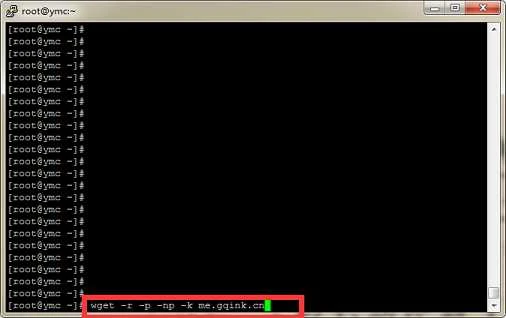
Run command
wget -r -p -np -k me.gqink.cn
Parameter description
-r --recursive(递归) specify recursive download.(指定递归下载)
-k --convert-links(转换链接) make links in downloaded HTML point to local files.(将下载的HTML页面中的链接转换为相对链接即本地链接)
-p --page-requisites(页面必需元素) get all images, etc. needed to display HTML page.(下载所有的图片等页面显示所需的内容)
-np --no-parent(不追溯至父级) don't ascend to the parent directory.
这里写代码片额外参数:
-nc  断点续传
-o   生成日志文件
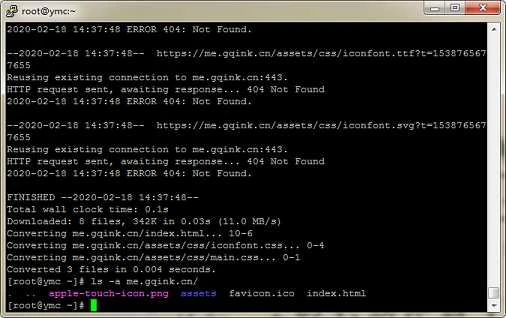
Run test
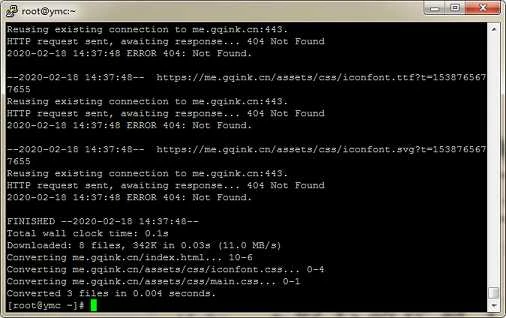
The wget command is used to download files from a specified URL. wget is very stable and highly adaptable to narrow bandwidth and unstable networks. If a download fails due to network issues, wget keeps trying until the entire file is downloaded. If the server interrupts the download process, it reconnects to the server and resumes from where it stopped. This is very useful for downloading large files from servers that limit connection time.
Comments
Discussion
Be kind and keep the discussion friendly.
Discussion
0 comments