
#插件
Browse all WindBlog tags and find articles by topic.
WordPress Optimization: Database Edition
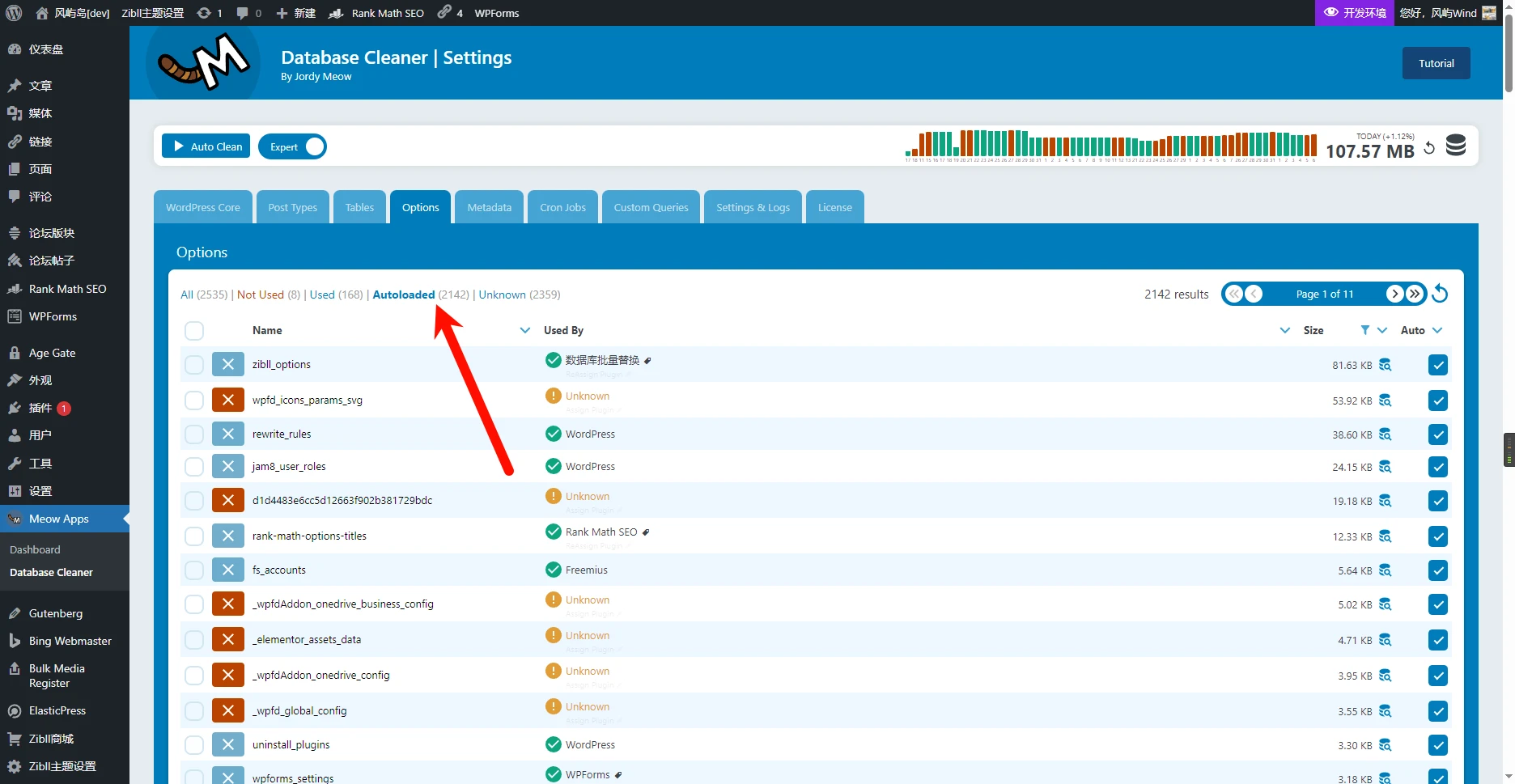
Optimizing AutoLoad The autoload attribute of a MySQL table controls whether the table is automatically loaded into memory when the database starts. When set to 1, the table is automatically loaded when the database starts, which can speed up frequently queried tables, but it also consumes memory space. When set to 0, the table is not automatically loaded, which can save memory space, but it needs to be loaded on the first query, so it is slower. For relatively large WordPress sites, be sure to check the size and row count of the “wp-postmeta” table. In general, this table can

Hand-write a plugin to add a timestamp to the end of uploaded filenames to prevent excessive SQL queries
In the WordPress Media Library, when a file is uploaded, it first queries the database to check whether a file with the same filename exists; if it does, it continues to query the next filename. This causes the number of SQL requests to keep increasing after repeatedly uploading a file with the same filename (even if the file contents are different). Many plugins currently either prepend a timestamp to the filename or directly rename the filename to a timestamp, which makes finding files very difficult. For this reason, I recommend getting the extension, adding a timestamp to the end of the filename, and then appending the extension back. Below is the complete code; you can