
From Now On, K8S Has Zero Barrier for Beginners!
Repost license
Request authorization before reposting and retain the authorization code, original URL, and go/affiliate links.
Original URL:https://www.geekcorelab.com/post/from-now-on-k8s-has-zero-entry-barriers
The commercial link is an authorized go short link that must stay on the reposted page. It records the source before sending readers to the original article.
Introduction
When you want to get started with K8S, you often get dizzy from all kinds of concepts, such as API Server, Scheduler, Controller manager, Etcd, Pod, Kubelet, kube-proxy, deployment......
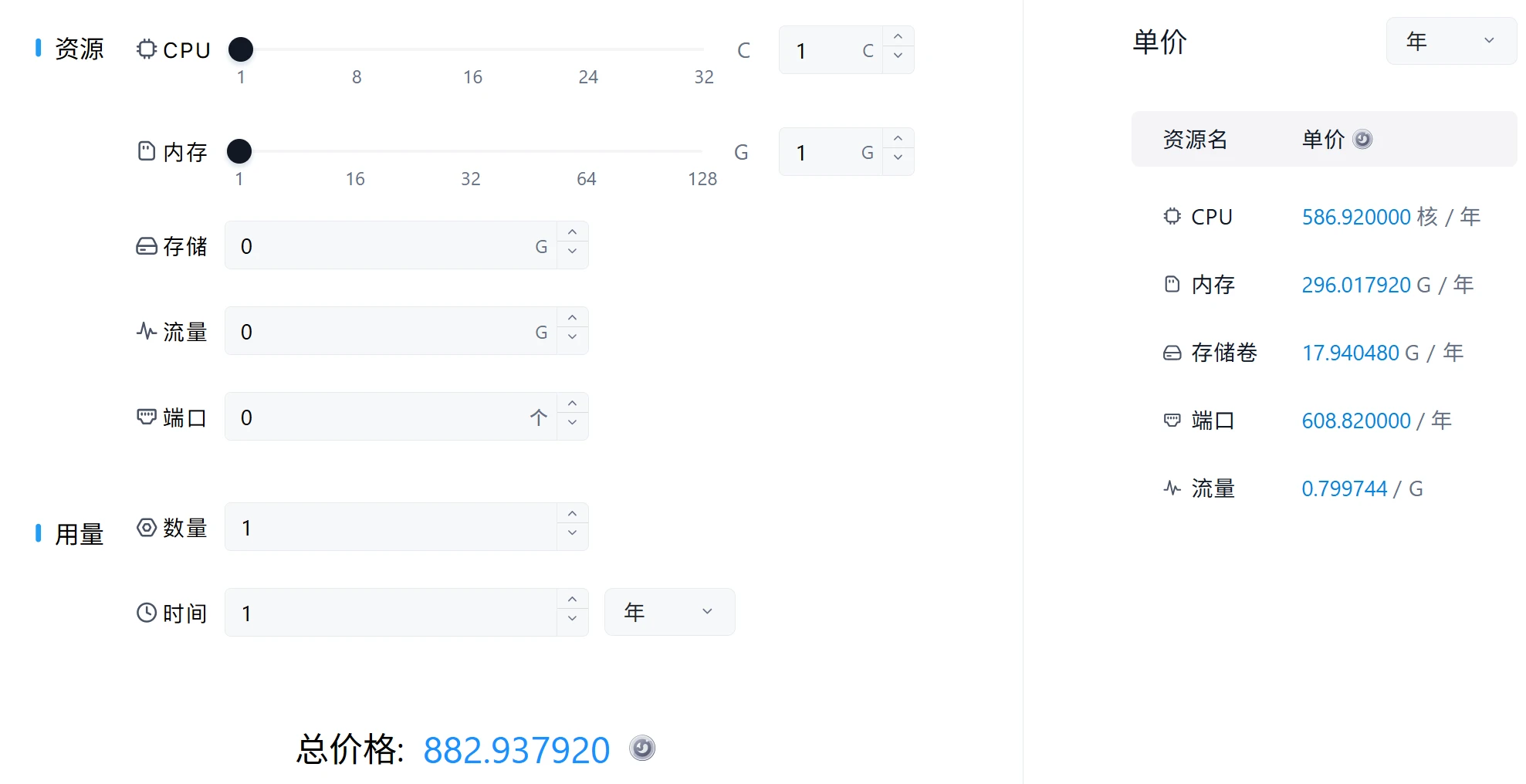
Even if you use various graphical panels, such as kuboard, which I used before, and KubeSphere, which I use now, they can't truly shield the underlying concepts and let users focus on applications. At this point, you might bring up Sealos, but look at its price calculator
This price is enough to buy me a 4C8G server; I might as well use a server.
But recently something appeared that I would call era-defining: 雨云 Cloud Apps
I looked through every page and every feature currently available, and found only two K8S terms: Pods and Service (Service)
So where are they? They appeared for a moment in Resource Monitoring and Application Management
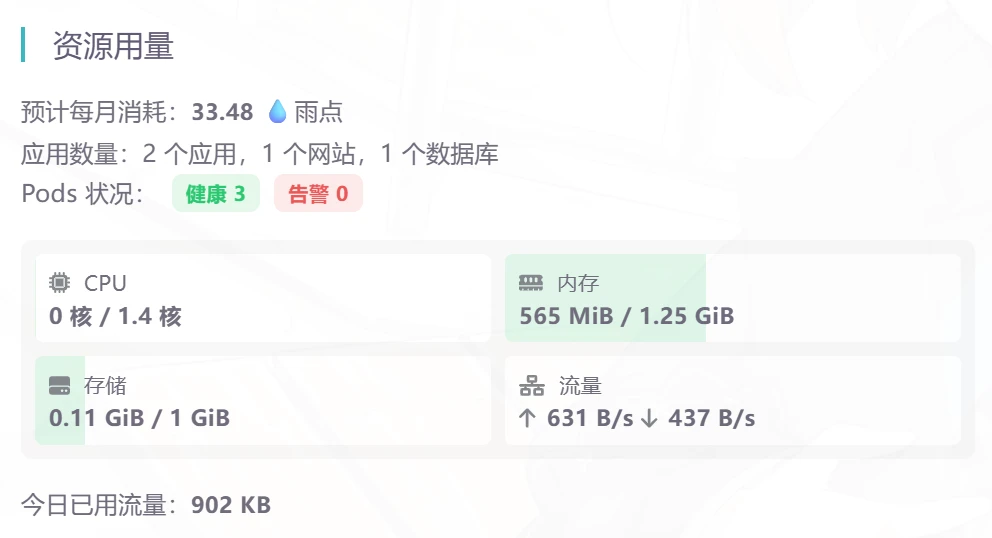
Since it has no other K8S concepts, then what exactly is this?

Here's an analogy: you get a free phone from 雨云; whatever you need, just download the app from the app store. You only pay for how many resources your app uses, and you don't even need to care about servers or infrastructure.
Usage Screenshots
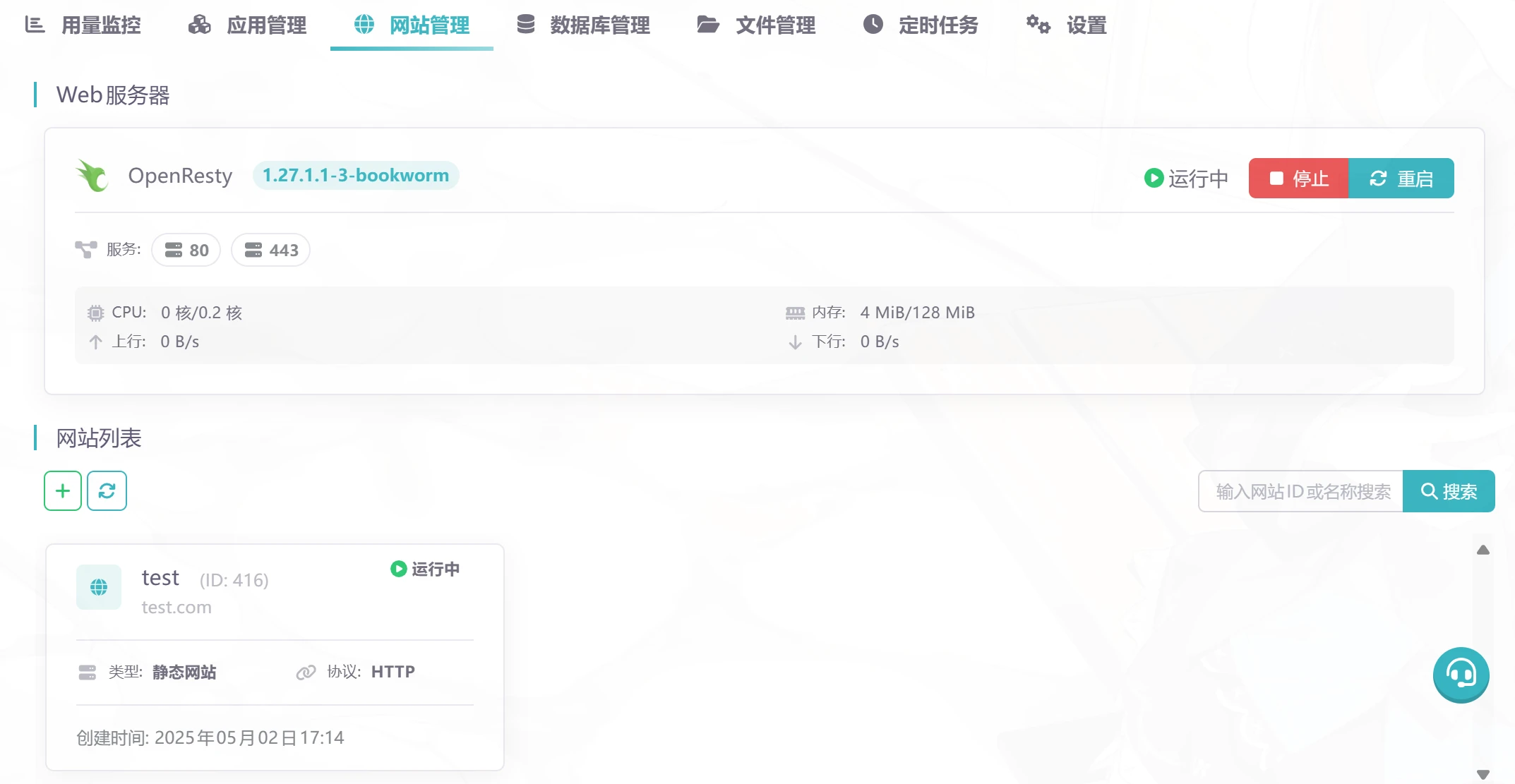
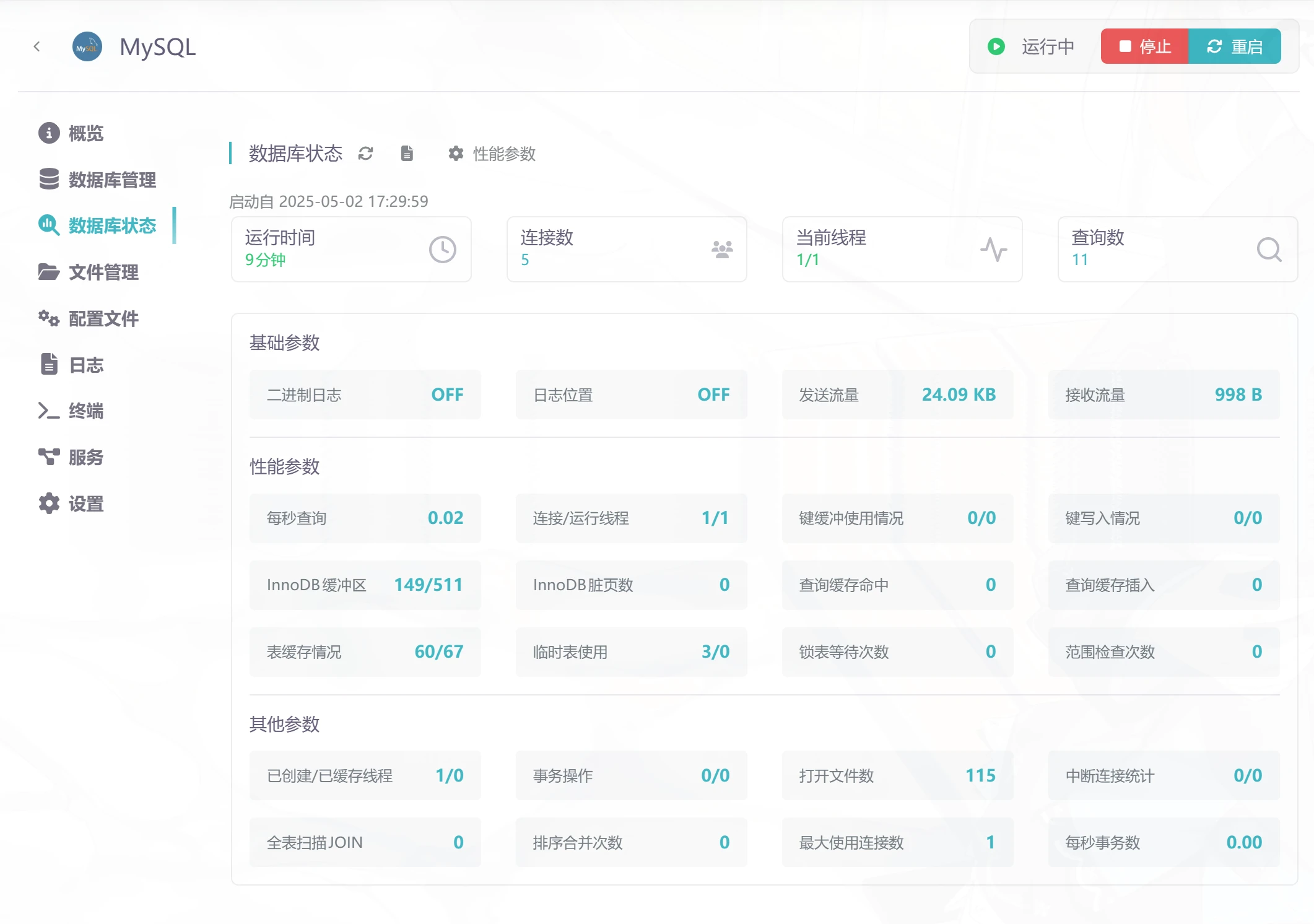
How to Use
First, you need to get a 雨云 account: https://www.rainyun.com/github_. Using this link gives you a discount. I don't need to teach you how to register, right?
After registering, go to Cloud Apps and create a project
As for the next steps, because it's so simple, you can figure it out by exploring casually even with no cloud-native/server/container background. Let's take installing the Cloudreve cloud drive program as an example to see just how simple it is to install one.
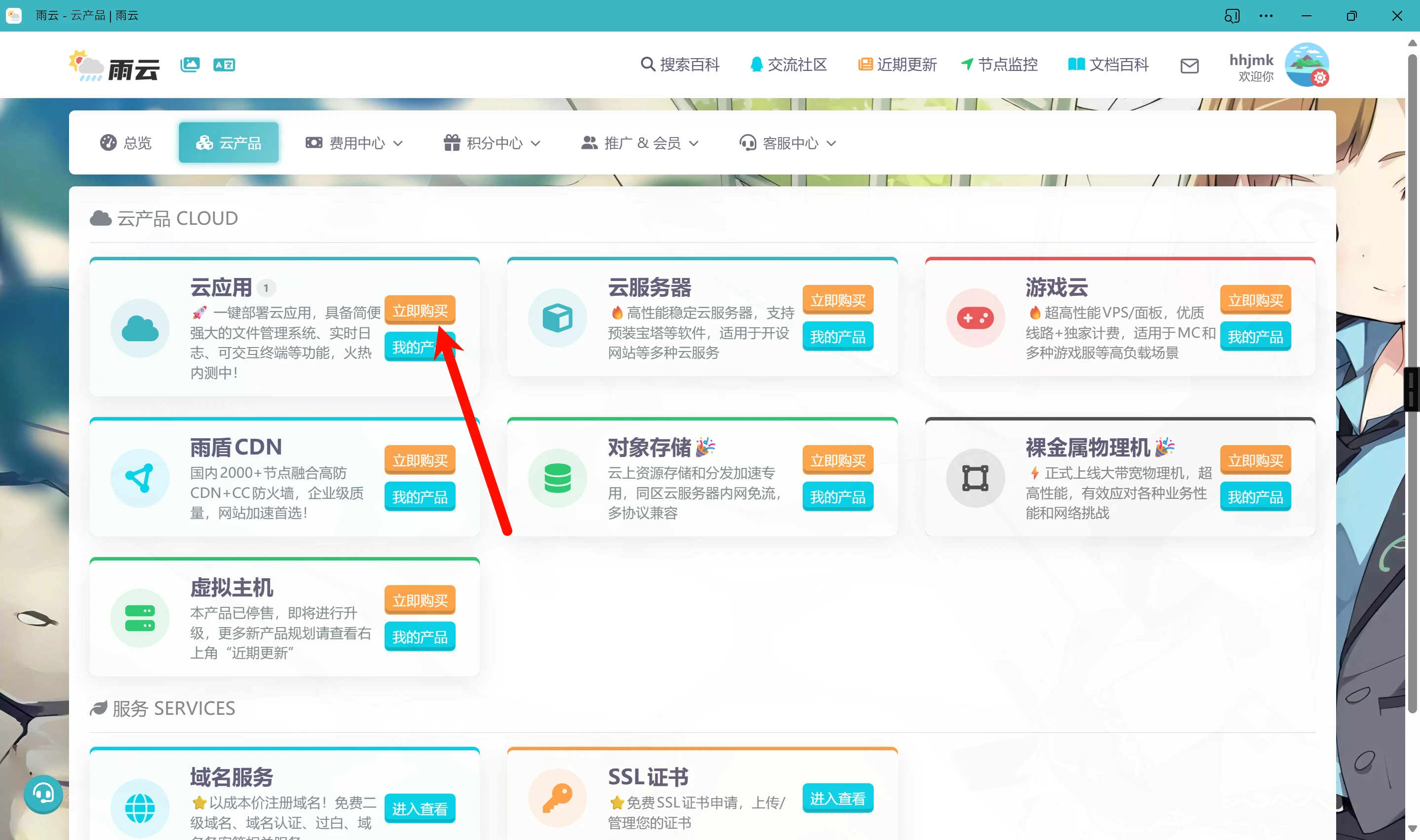
Cloudreve Installation Experience
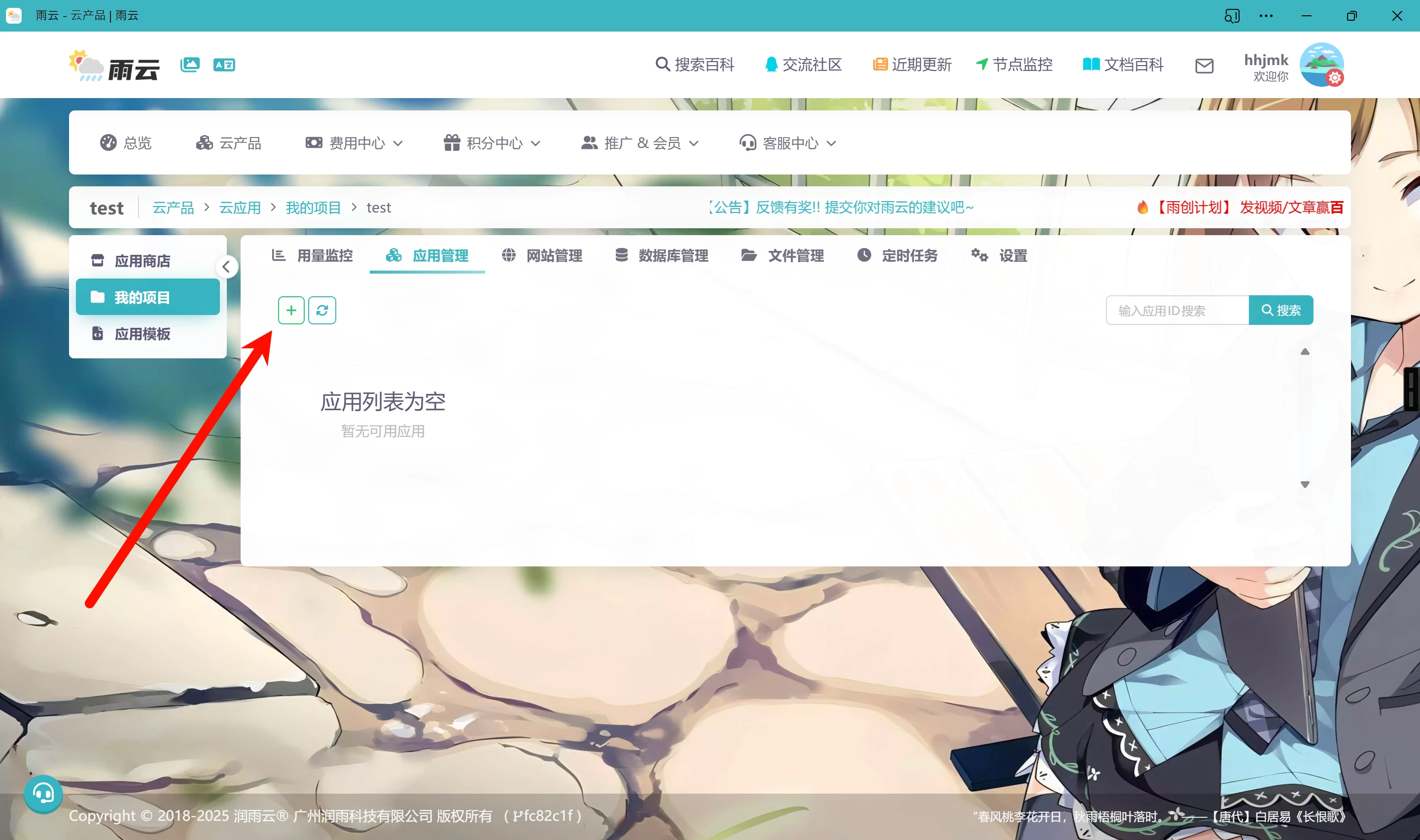
After creating a project by following the steps above, enter the project's management page, go to Application Management, create a new application, and then you can pick one in the app store
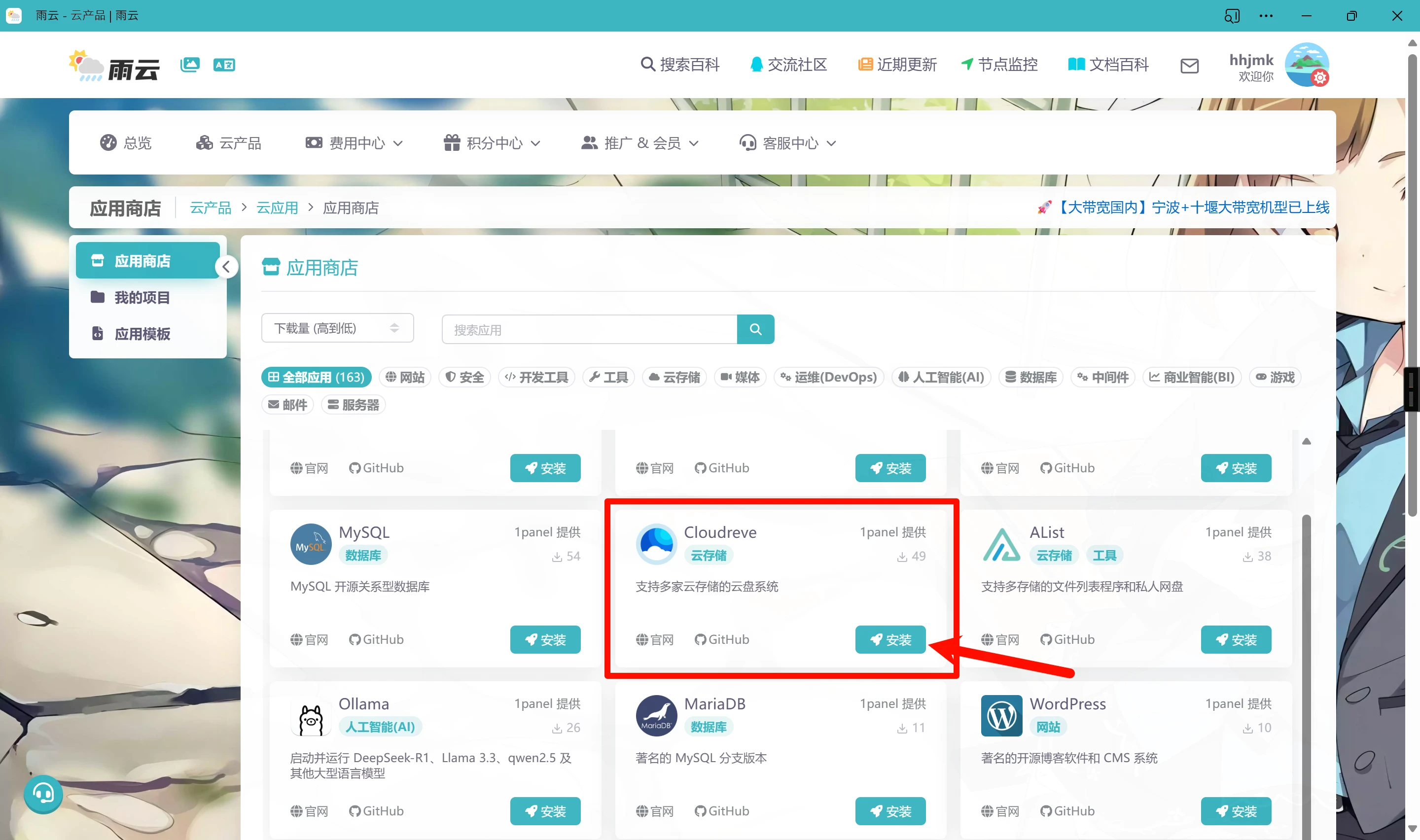
Find the application we want to install and just click Install.
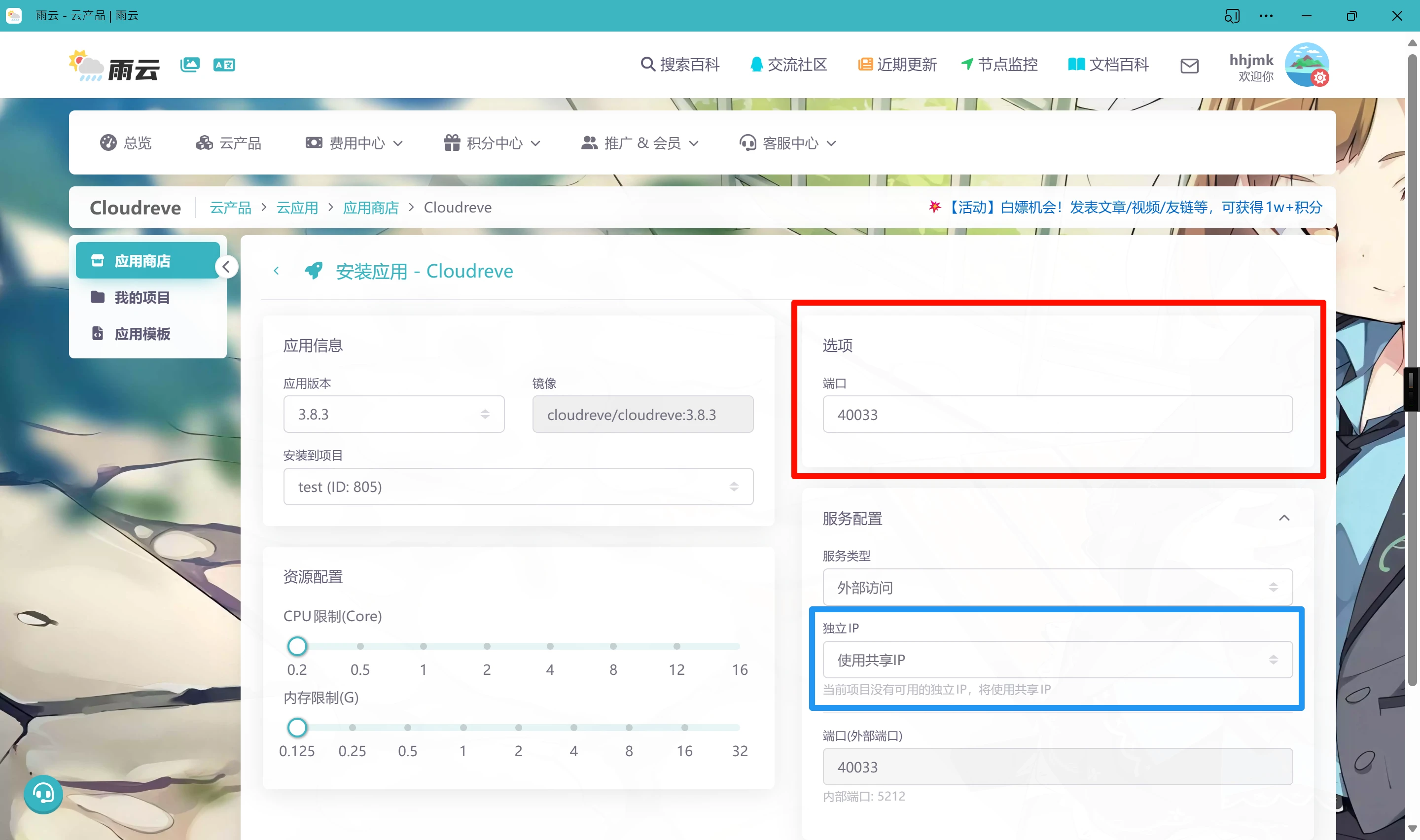
We only need to care about one thing: the port in the red box. Just choose any non-conflicting port and it works. If you don't want to use a shared IP, but rather have an independent IP for each one like each server does, you can change it in the blue box.
After creation, wait a while. Usually it can be deployed in a few seconds, no more than 1 minute—faster than booting a server.
Once the status changes to Running, click the little globe and the port-number item after the service to copy the access address
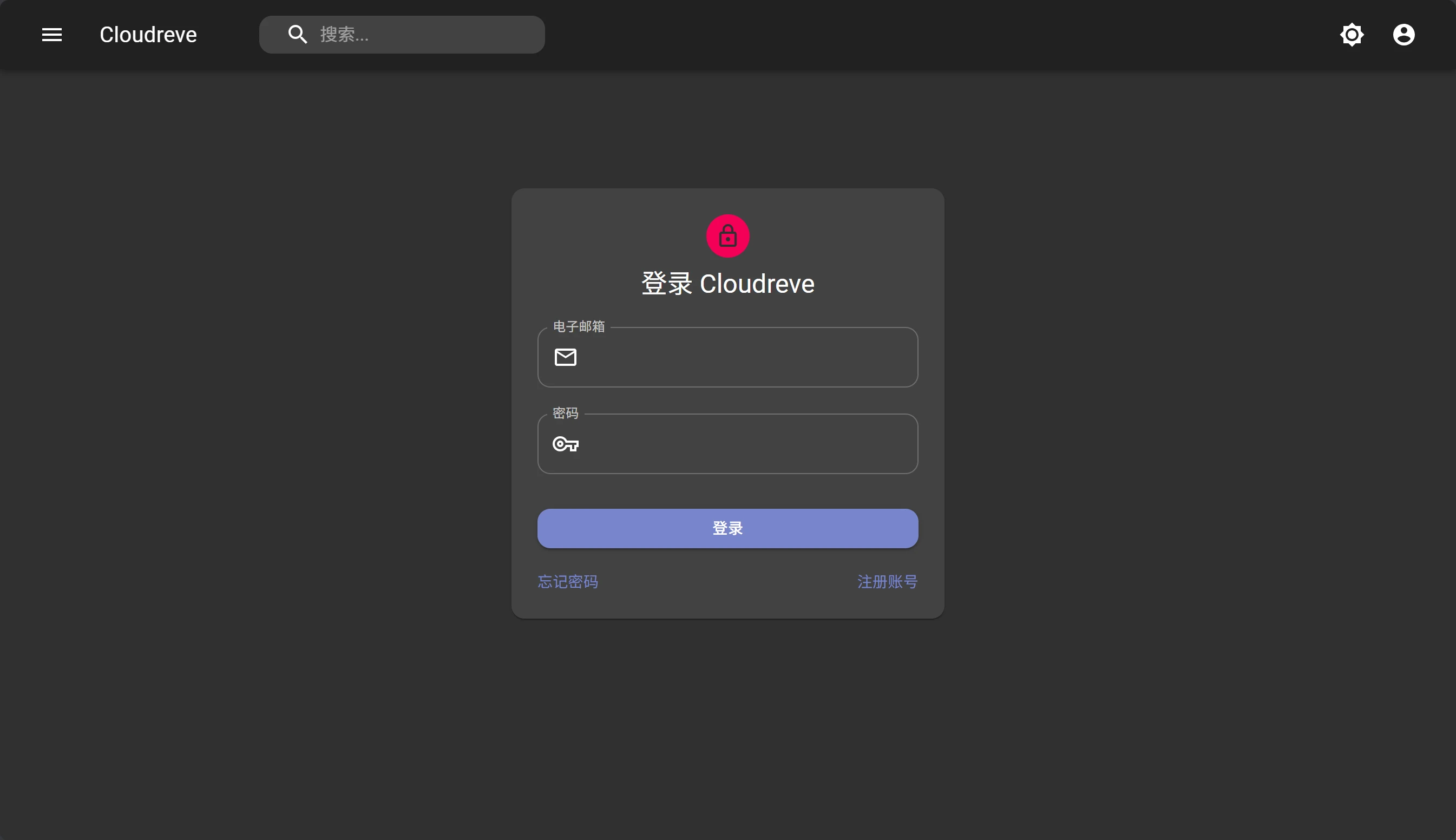
Paste it directly into the browser's address bar and you can access it.
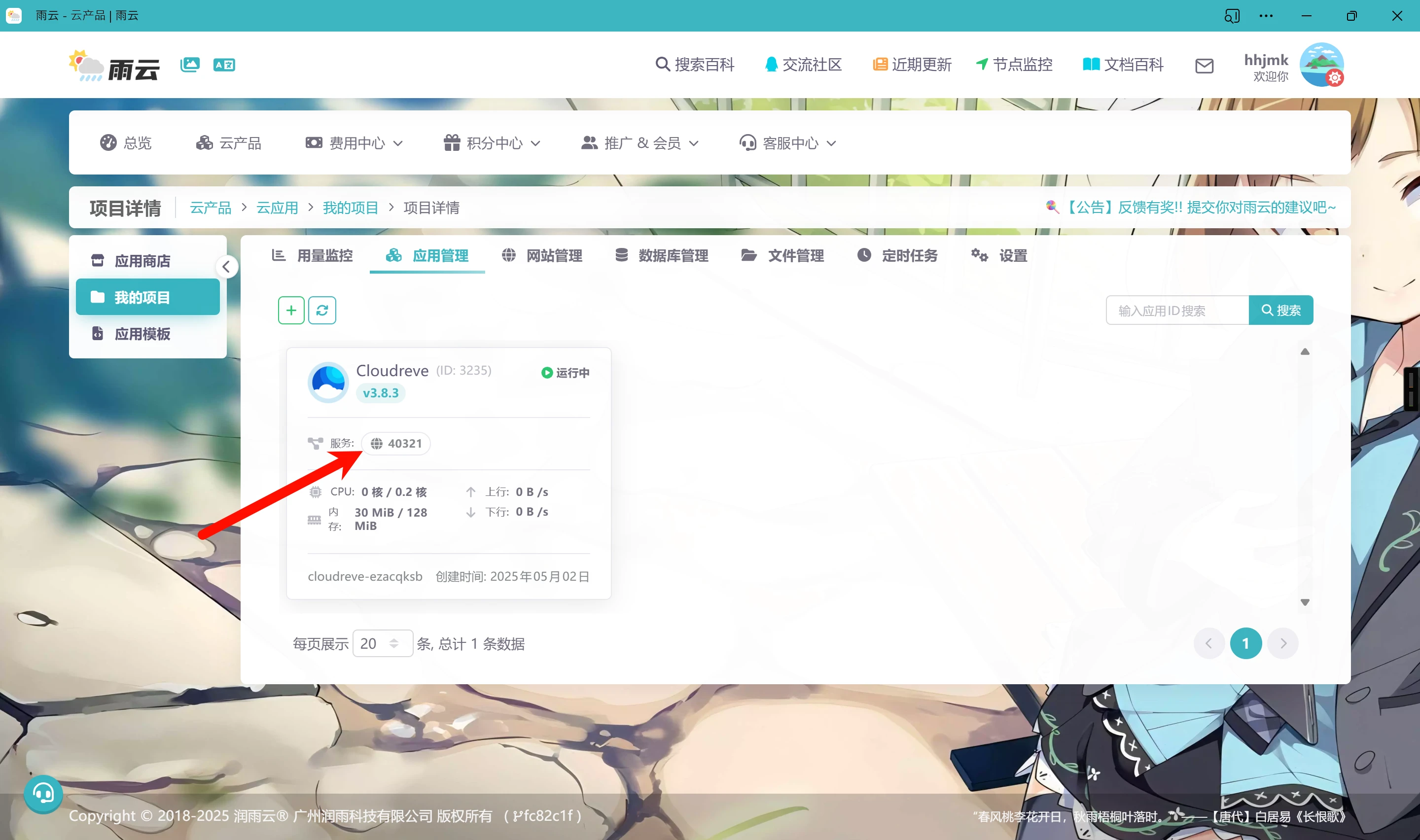
Doesn't all this feel similar to using a phone—whatever you need, just install it from the app store?
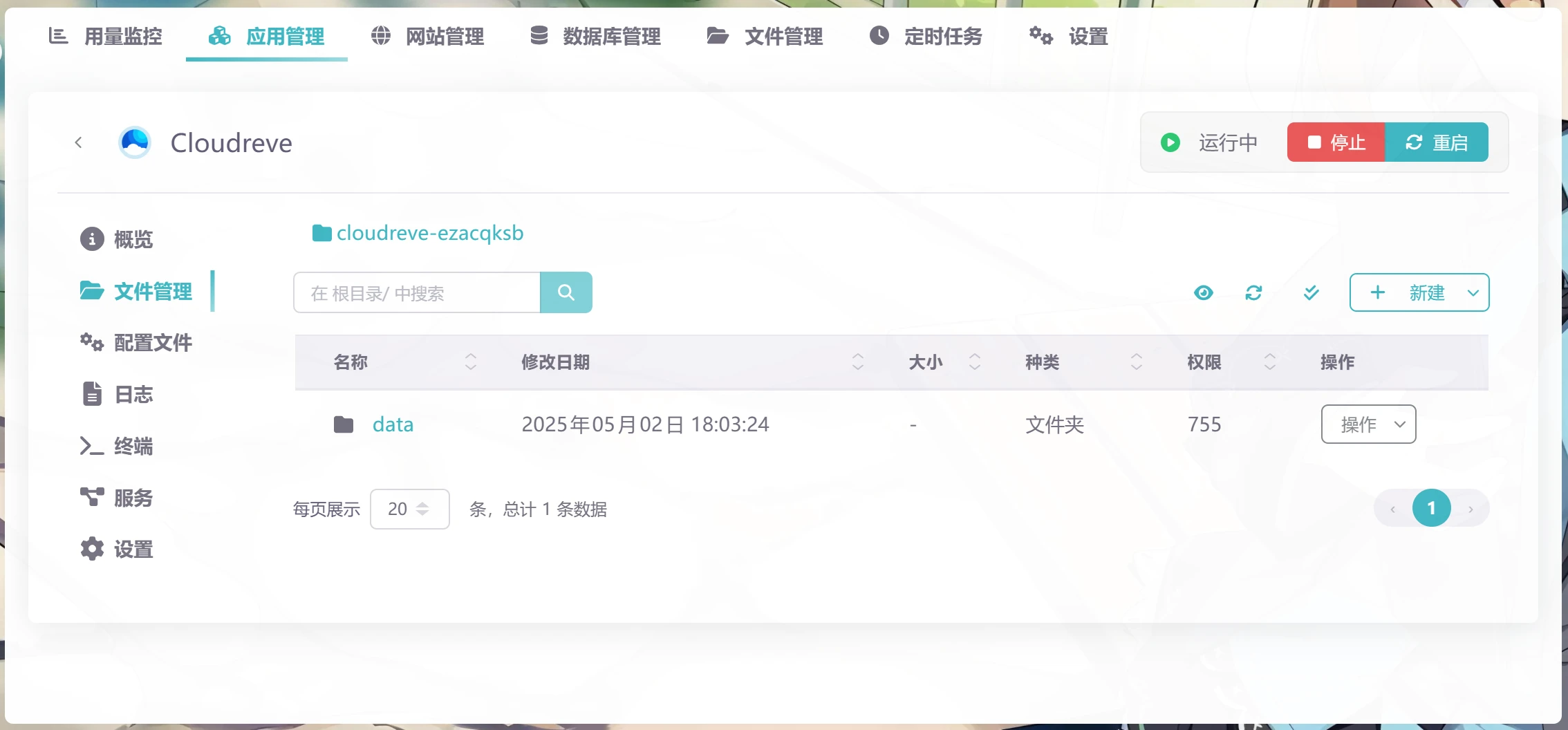
You can also view the current application's file management, terminal, logs, etc.
Conclusion
Let's make a comparison. If you wanted to turn a server into such a convenient operation, you would at least have to estimate the server configuration, choose an operating system based on compatibility, install docker, install a panel, configure a firewall, and for domestic servers, even configure a docker image mirror.
And there's another most critical question: do you really need so much of the server's configuration? Look at your own server—apart from using apt/yum/dnf or the like to install something, or running a docker build, or in some high-load scenarios, hasn't the CPU load never even exceeded 20%? Don't you still have to nervously reserve some memory?
Take this machine of mine as an example: its CPU load is below 10% all year round. But because other cloud providers' cost-effective servers usually only come in configurations with ratios like 2-2, 2-4, 4-8, when the service actually runs, sometimes only 1 CPU core is needed, but memory usage is relatively high and may require 6G. In this case, you can absolutely use Cloud Apps to reduce costs and improve efficiency.

After all, Cloud Apps themselves have resource redundancy, and you only need to pay for the portion of resources you have actually used.
Comments
Discussion
Be kind and keep the discussion friendly.
Discussion
0 comments