

From Novice to Website Building Expert (1): Finding Open Source Projects
Repost license
Request authorization before reposting and retain the authorization code, original URL, and go/affiliate links.
Original URL:https://www.geekcorelab.com/post/from-a-small-white-shed-to-a-website-builder-1-looking
The commercial link is an authorized go short link that must stay on the reposted page. It records the source before sending readers to the original article.
What Is Open Source
Open source means that the source code of software can be viewed, modified, and distributed by the public, usually under a specific open source license. In this way, anyone can participate in improving the software and can freely use and share it
What Are the Advantages of Using Open Source
- Cost-effectiveness: Open source software is usually free, which can save the cost of purchasing commercial software. However, some open source software prohibits direct commercial use, and commercial use requires purchasing a license
- Transparency: The source code is public, and users can inspect the code to ensure there is no hidden malicious behavior. Of course, there are still some special cases, for example, a user submitted an extra string in the code, causing it to escape the compiler sandbox environment
- Flexibility: Users can modify the software according to their own needs
- Community support: There is usually an active community where users can help each other solve problems
- Innovation: Open source encourages innovation because anyone can contribute new ideas and improvements
- Compatibility: Open source software often has better cross-platform compatibility
Where to Find Open Source
This brings us to the well-known GitHub and GitLab, as well as the obnoxious Gitee and the wildly plagiarizing GitCode
GitHub is owned and operated by GitHub, Inc. It is a global open source platform, and due to the continuous “purification” of the domestic network environment, these truly useful websites have almost all been “purified” away, and sometimes a VPN/proxy environment is required to access them
Gitee, formerly Git@OSC, is a Chinese code hosting platform operated by 开源中国 (OSChina). Because it is a platform operated in China, forced login, mandatory phone number verification, and download speed limits are the norm, and compared with GitHub, Gitee has more restrictions
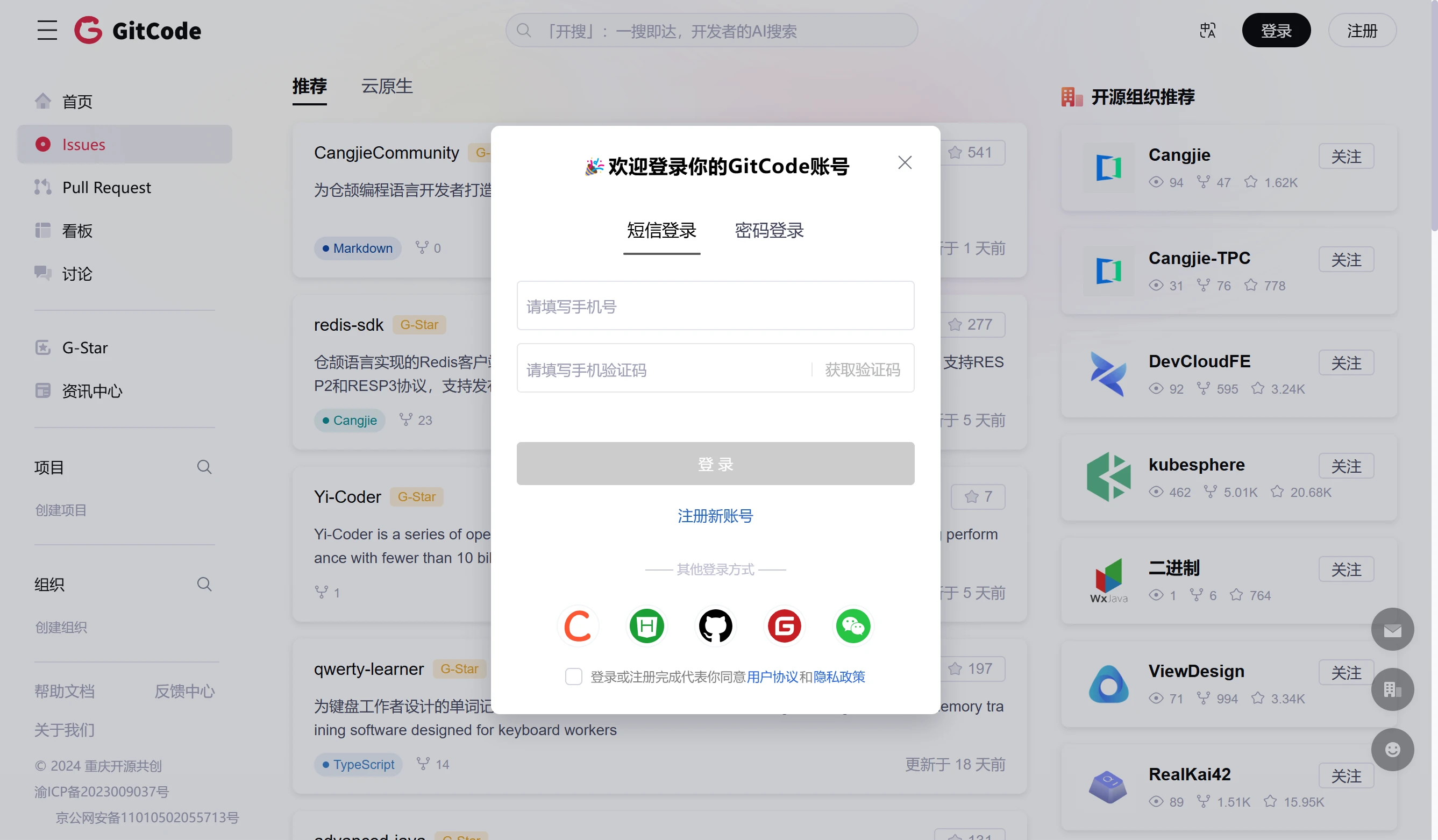
GitCode is a code hosting platform jointly developed by Huawei Cloud and CSDN, and its redirect links are very common in CSDN
And forced login is also the norm for it

Moreover, because GitCode wildly copies major projects without permission, it has drawn widespread criticism, and because it copied useful open source projects that need to be “purified” by the Chinese internet, it once caused itself to be plagued by constant 404s
GitLab is a self-hosted Git project repository, and it also has an official cloud platform. It is suitable for geek users and projects that need private deployment, because it is fully open source and can be deployed on your own server without exposing it to others, and it natively supports WebIDE, making it very beginner-friendly
Finding Open Source Projects
Due to the rogue nature of domestic platforms, this article only takes a deep look at GitHub
Using Search
Standard search
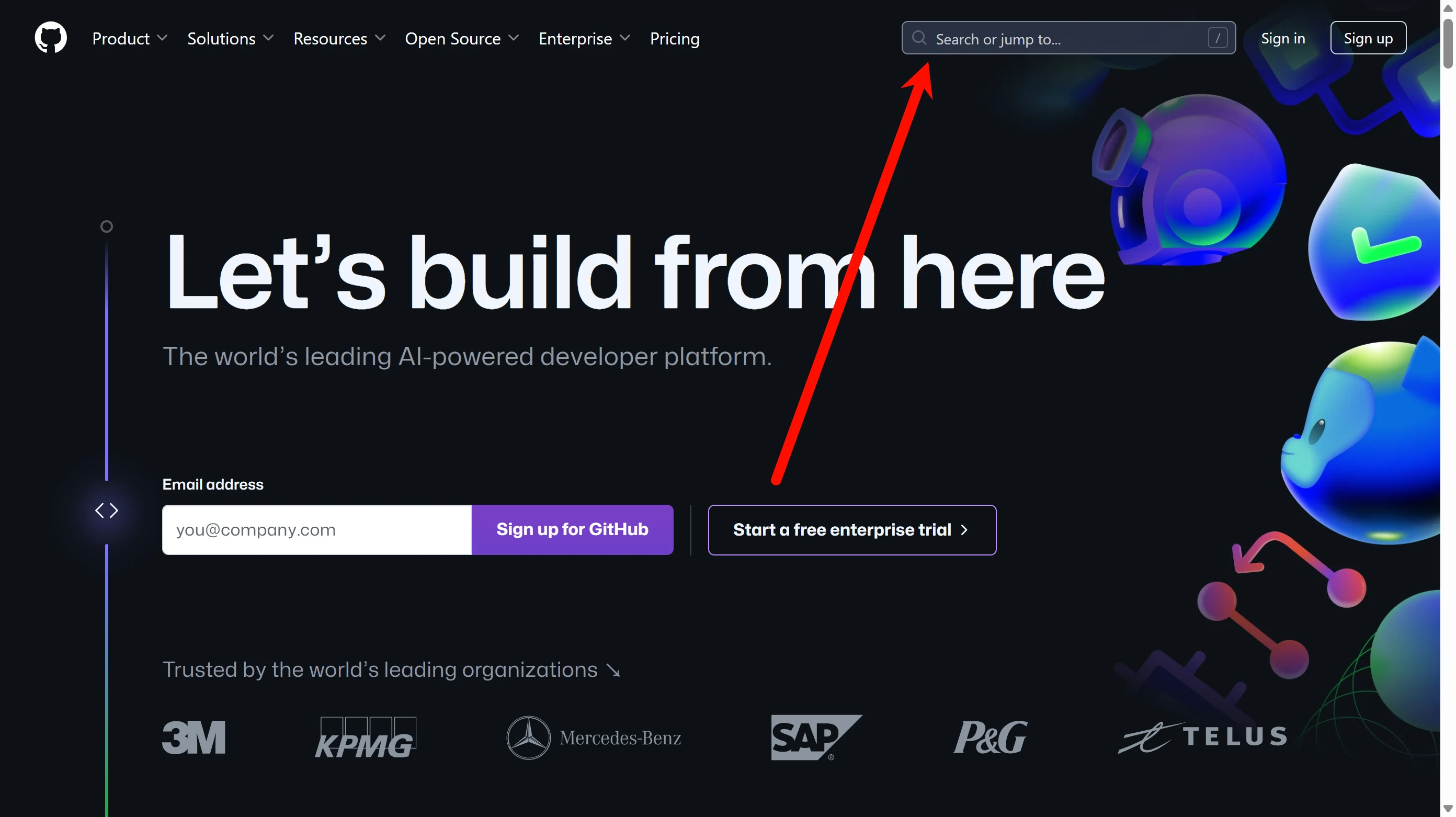
GitHub has a search box at the top of almost any interface, and clicking it triggers the search function. At the same time, observant readers will surely have noticed that there is a slash icon on the right side of the search box. This is actually a shortcut: pressing "/" on the keyboard can directly trigger search without moving the mouse again
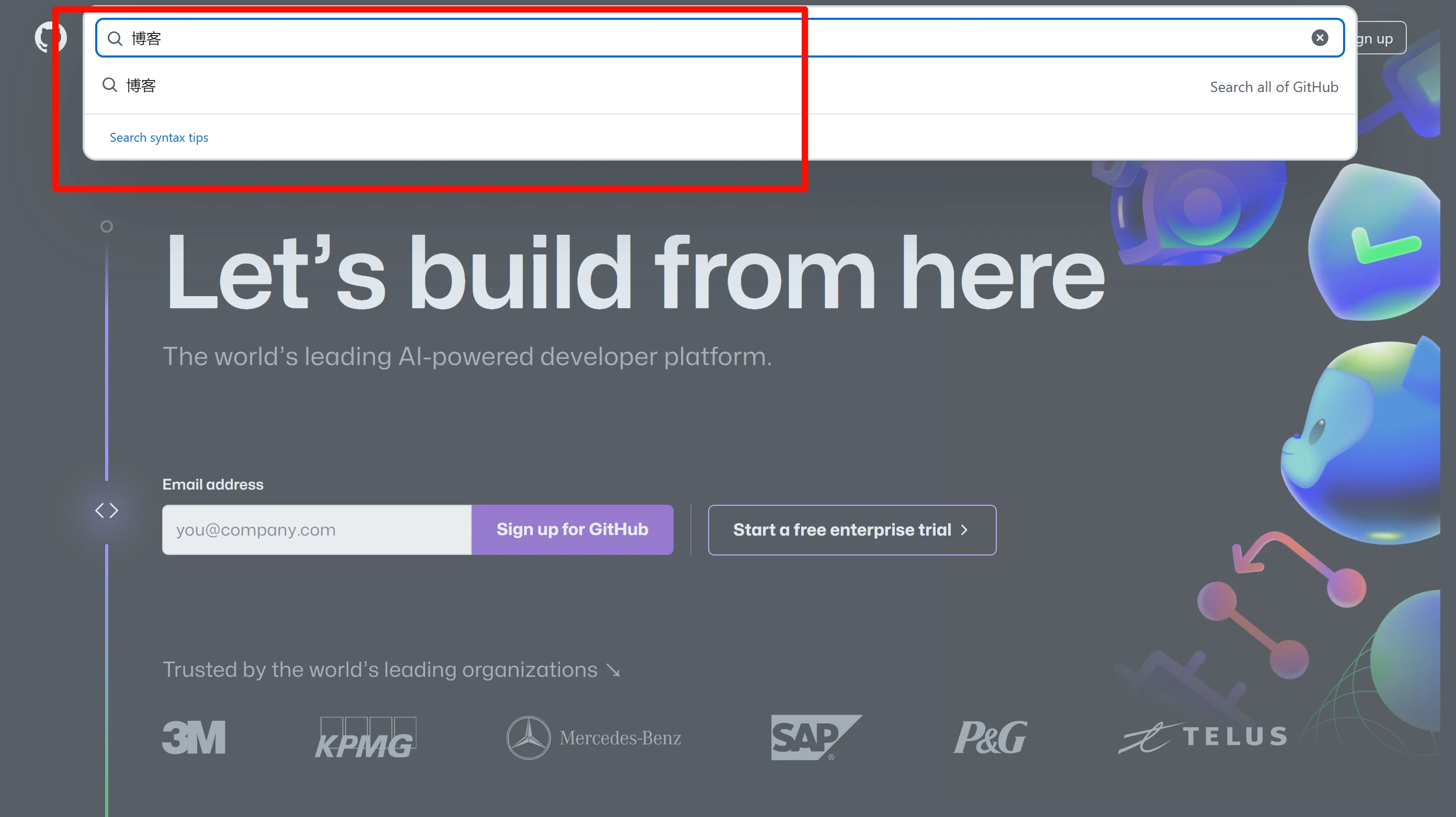
For example, if I want to find blog source code, I just search for “blog”
After pressing Enter, you will see the search results
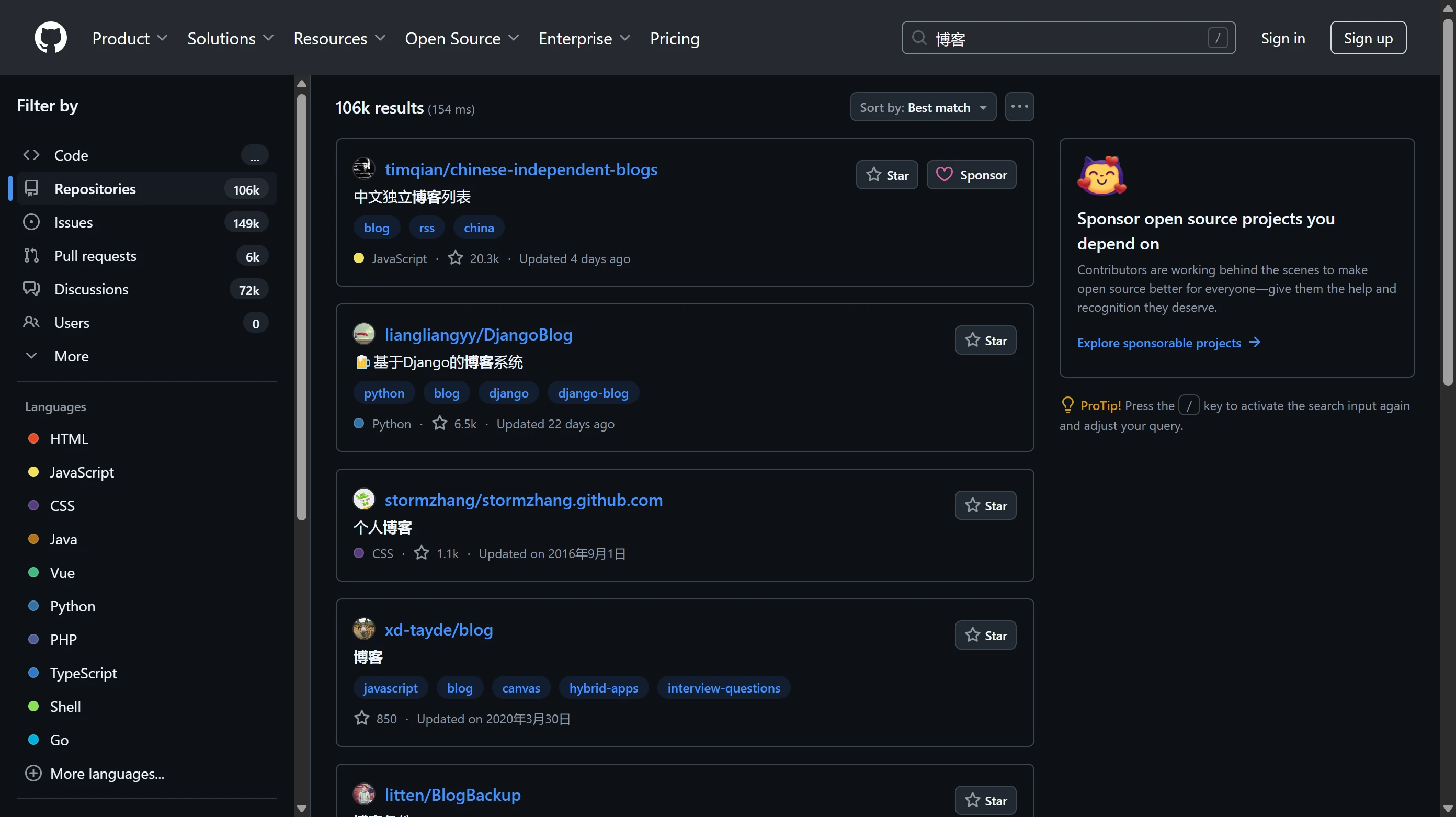
On the left, you can set filters, for example, if I want to search Issues, I select Issues. The number on the right is the number of results. For example, the default search is Repositories, and the number of results shown here is 106k, that is, repositories were searched, and a total of 106 thousand repositories were found. But why is it 106 thousand instead of 10.6w (万)? Because w is not the unit for ten thousand, and people abroad are also used to using thousand as the unit
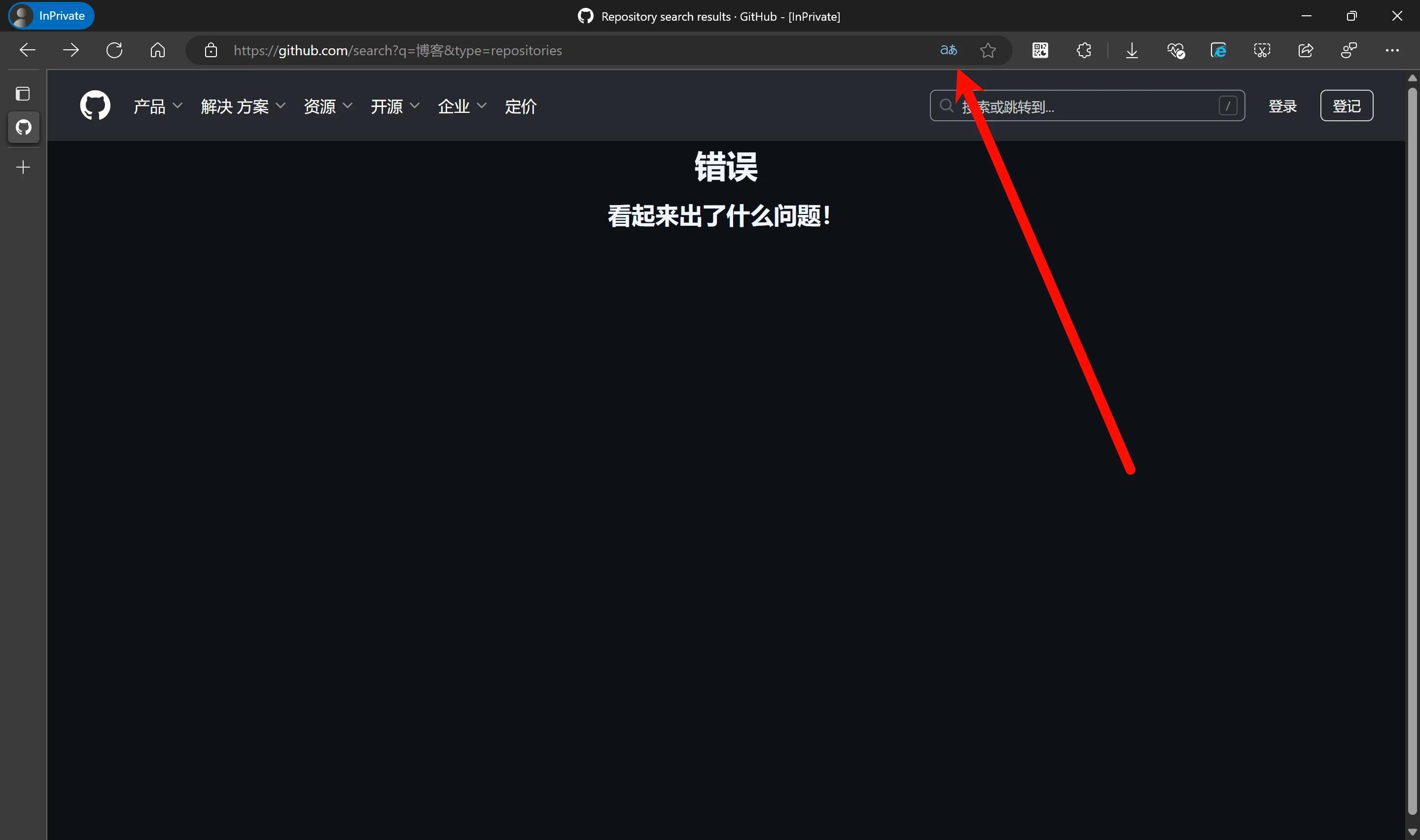
Another question arises: why don't I use the browser's translation feature? This translation feature should not be used carelessly on a site like GitHub that relies on pjax responses, because it will...
Filtered search
There is no need for a long explanation, because one example will make it clear
I search: language:C stars:>500 user:torvalds
I got these results
If we look at each search result, it is not hard to see that they are all directly related to our search conditions
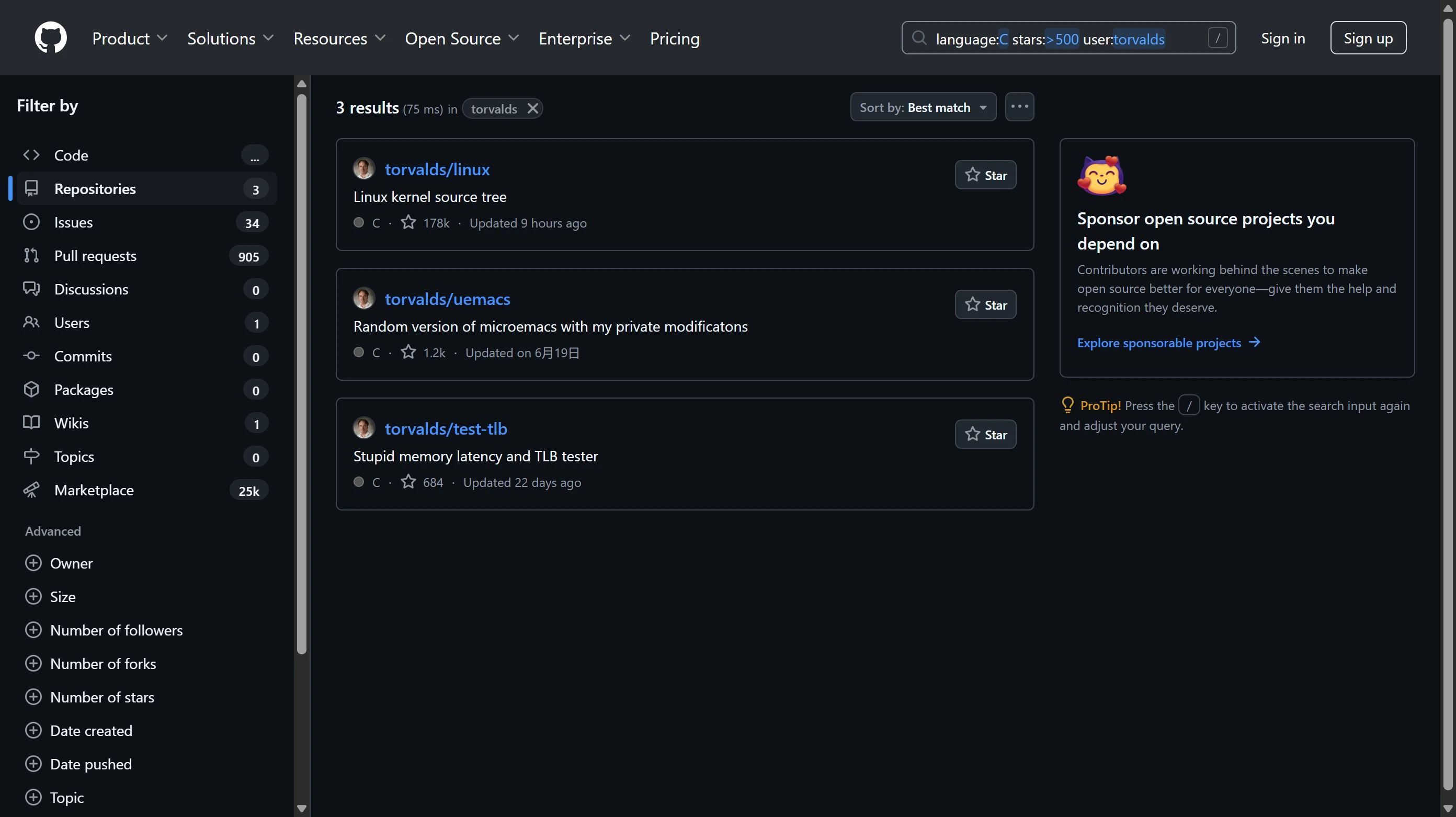
The red arrow points to the main language of this repository. You can see that all three are in C, because we restricted language:C when searching, that is, repositories whose search language is C
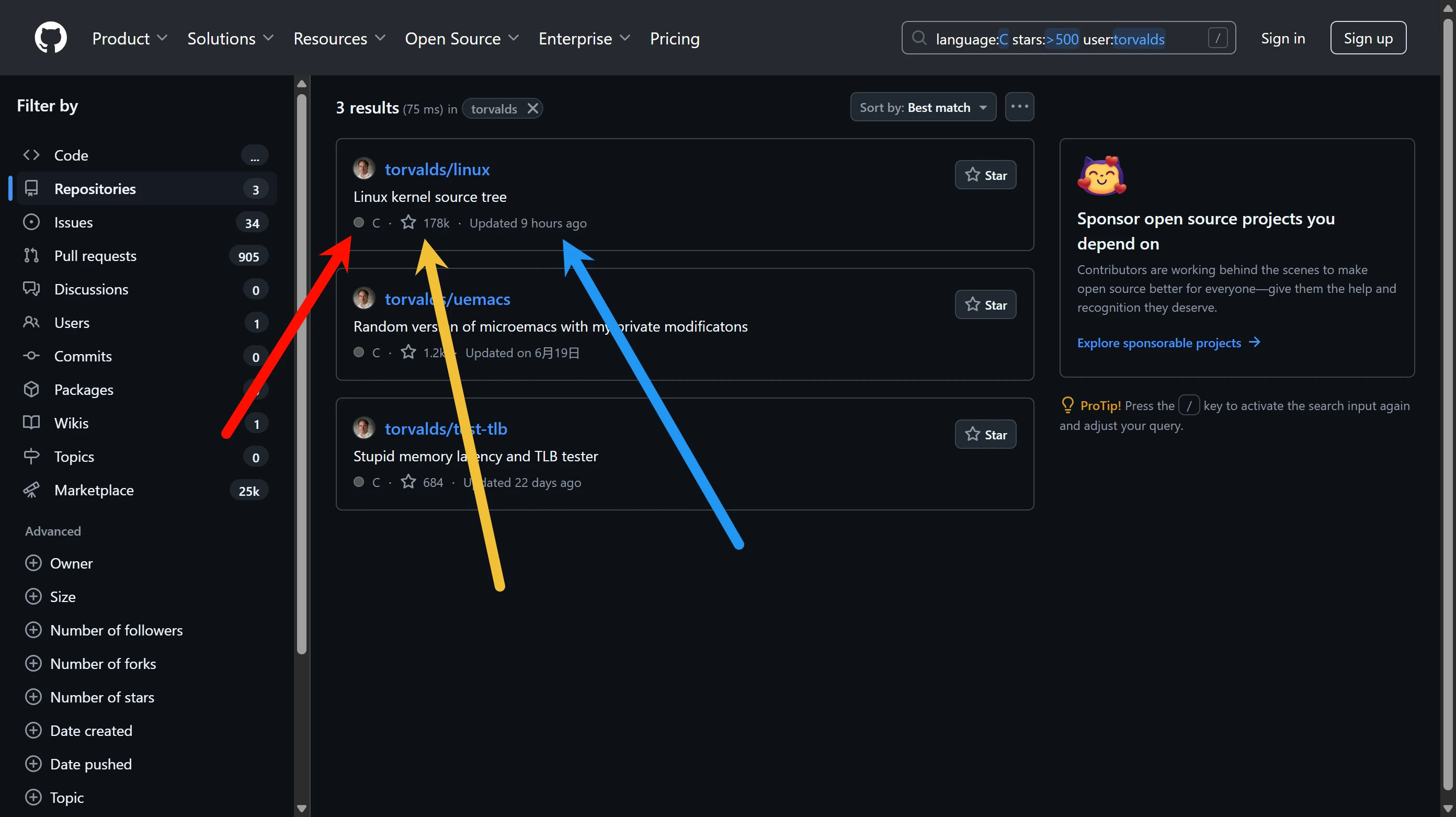
The yellow arrow points to the Star count, which can be thought of as the number of favorites. You can see that all three are greater than 500, because we restricted stars:>500, that is, repositories with more than 500 stars
The blue arrow points to the update time
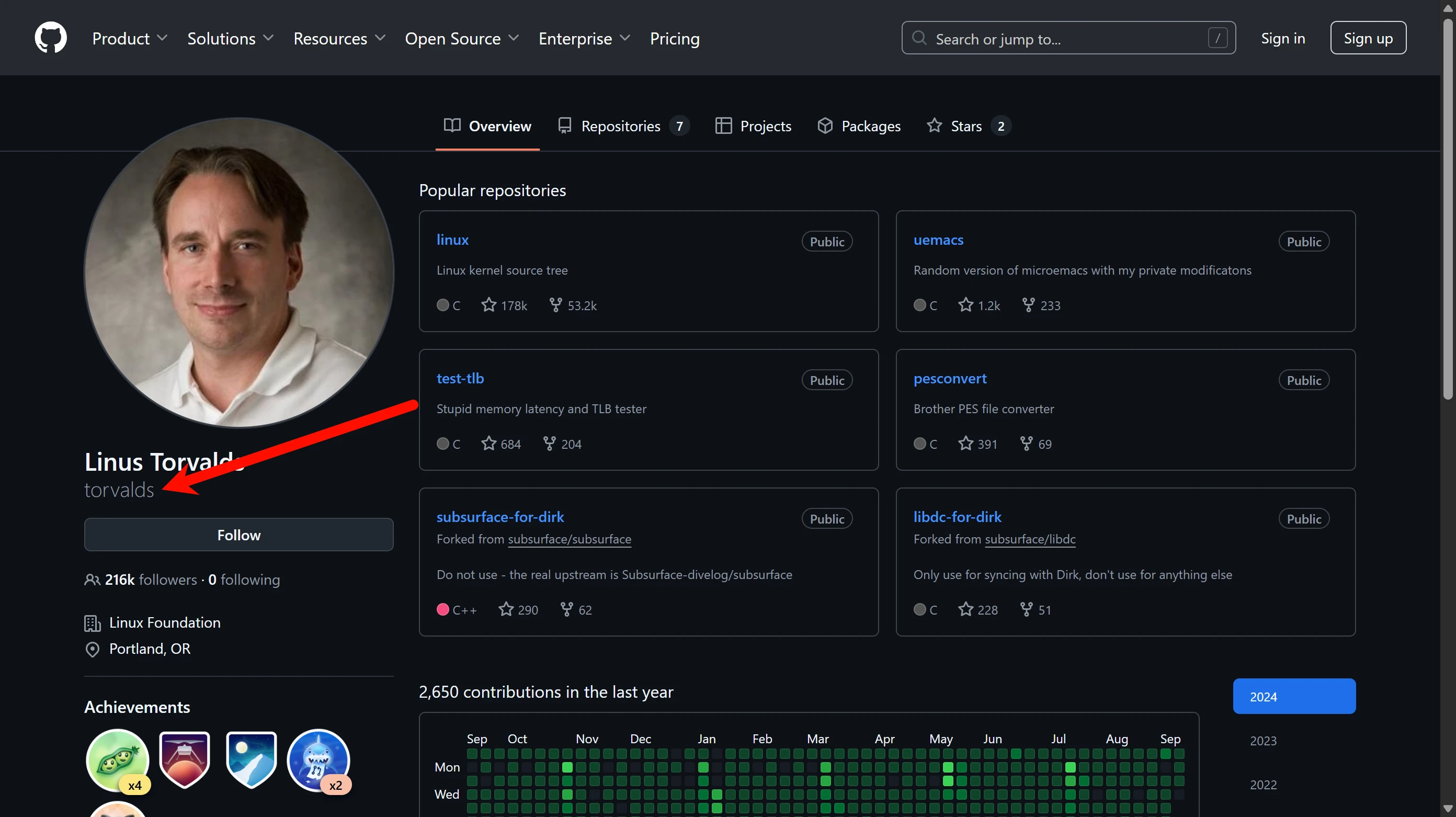
And the final user restricts to a specified user. For example, here we only search repositories created by Linus Torvalds, so we need to filter by username
Here you can see that his username is torvalds
Reverse-Engineering Open Source Projects
Here we take the 雨云 forum as an example
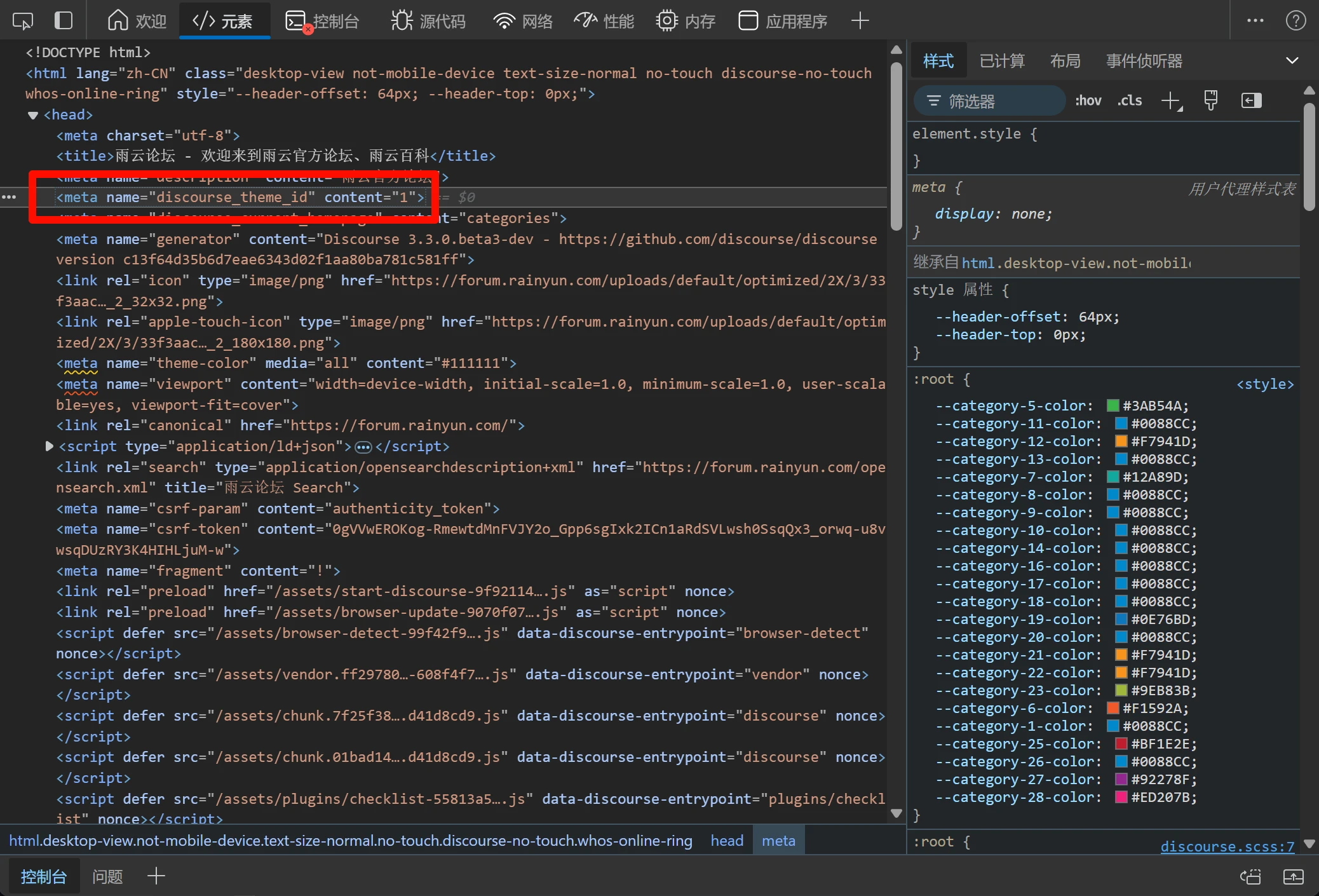
Sometimes you may see an individual or a small company with an extremely powerful website, etc. At this point, it is not hard to associate them with the use of open source; after all, their capabilities are not enough to develop and maintain such a large project, but we don't know what open source it uses. At this point, we can use reverse searching to dig out the open source project being used
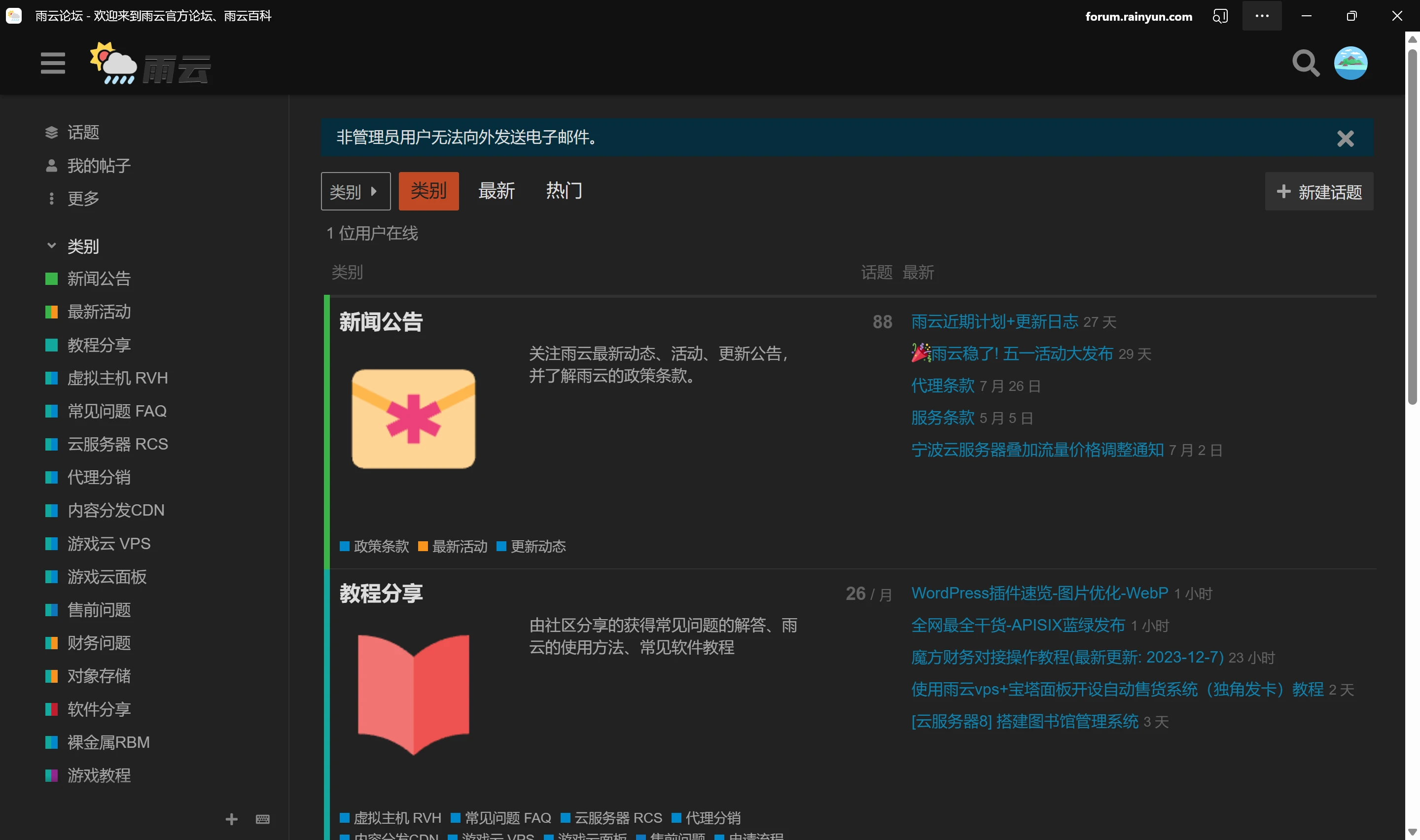
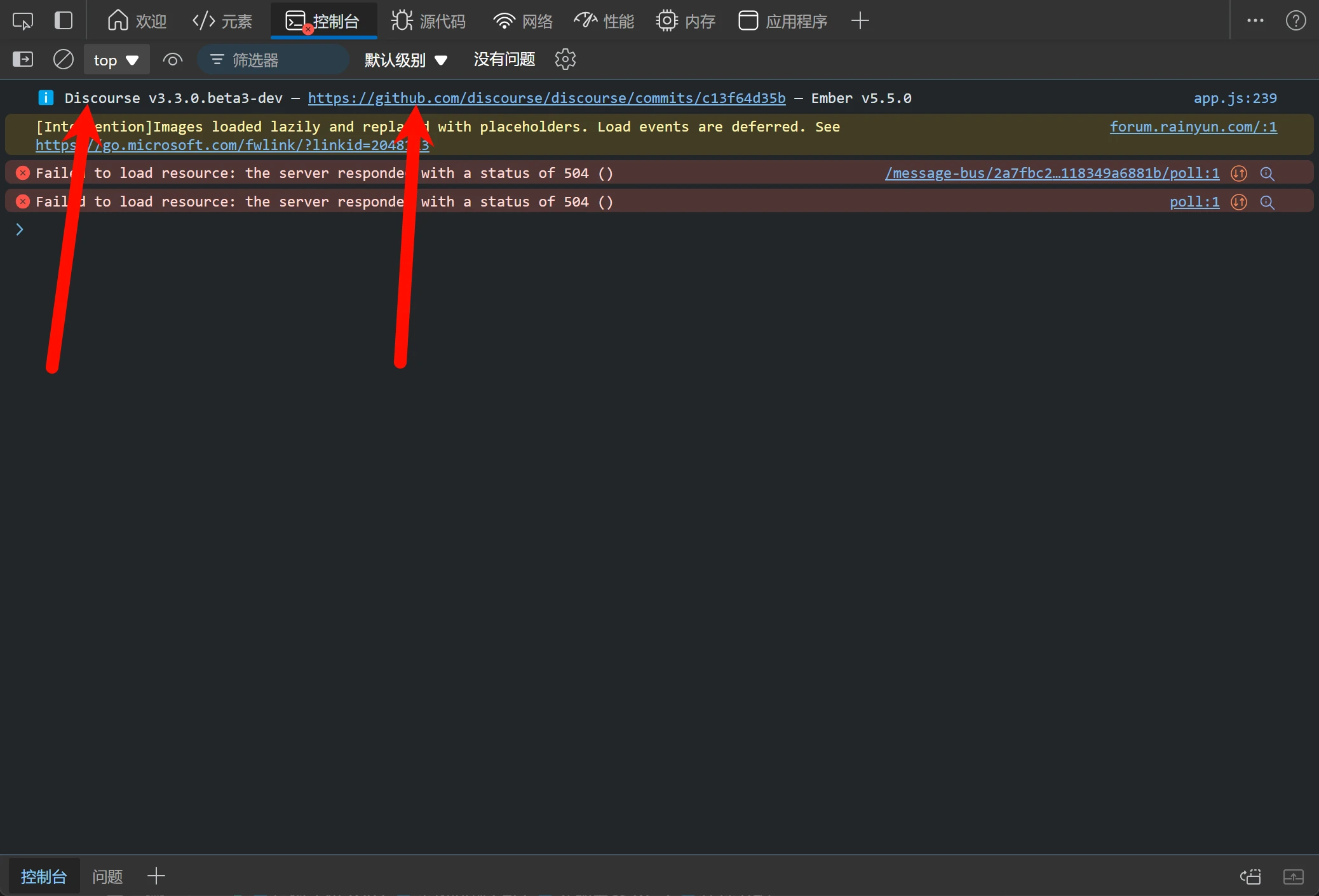
In some cases, we don't even need to put in much effort: press F12 to open the developer tools and you will understand
It not only tells you that Discourse is being used, but even includes a link to GitHub, but in reality, this situation is rare and only exists in some versions of some open source projects
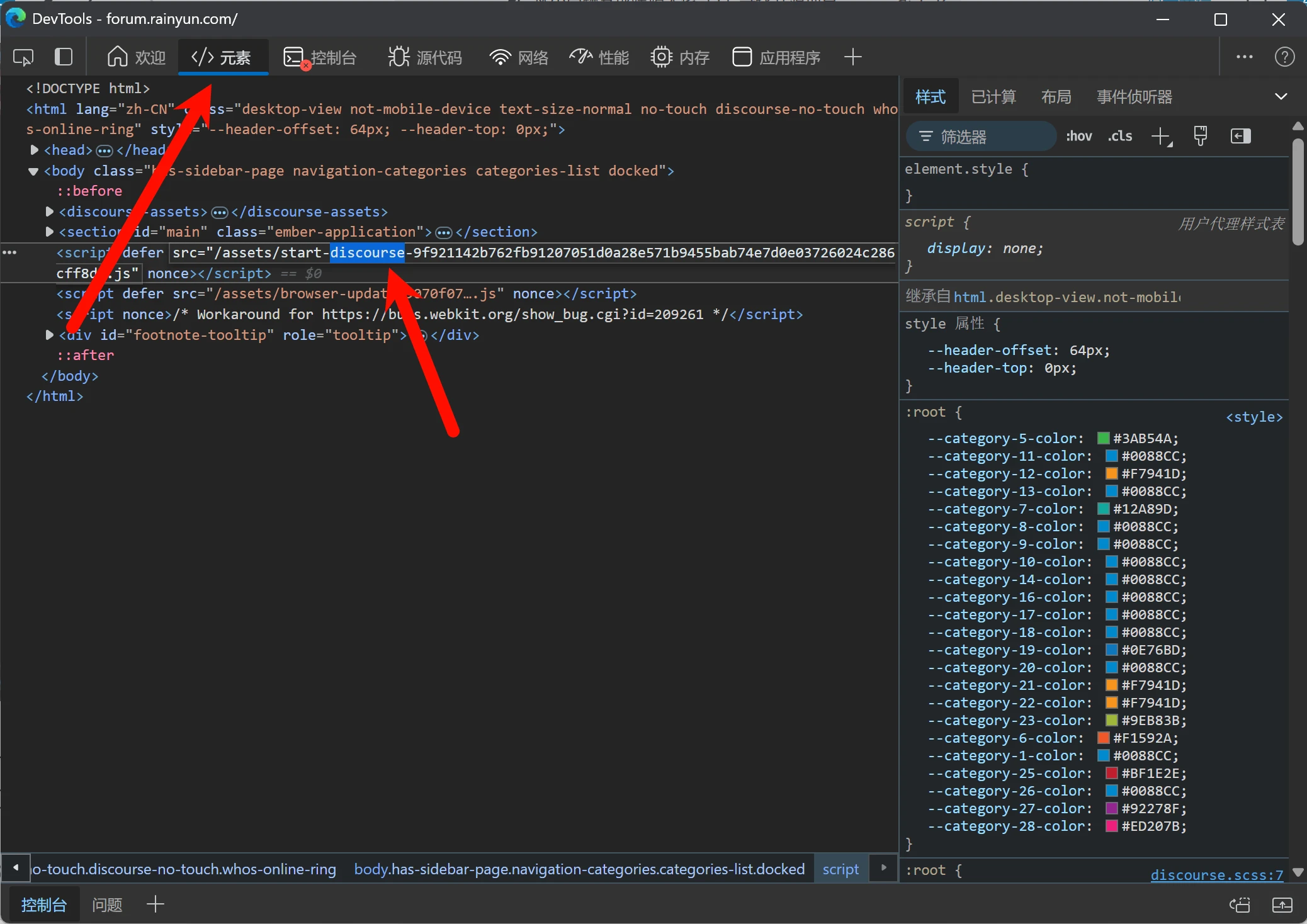
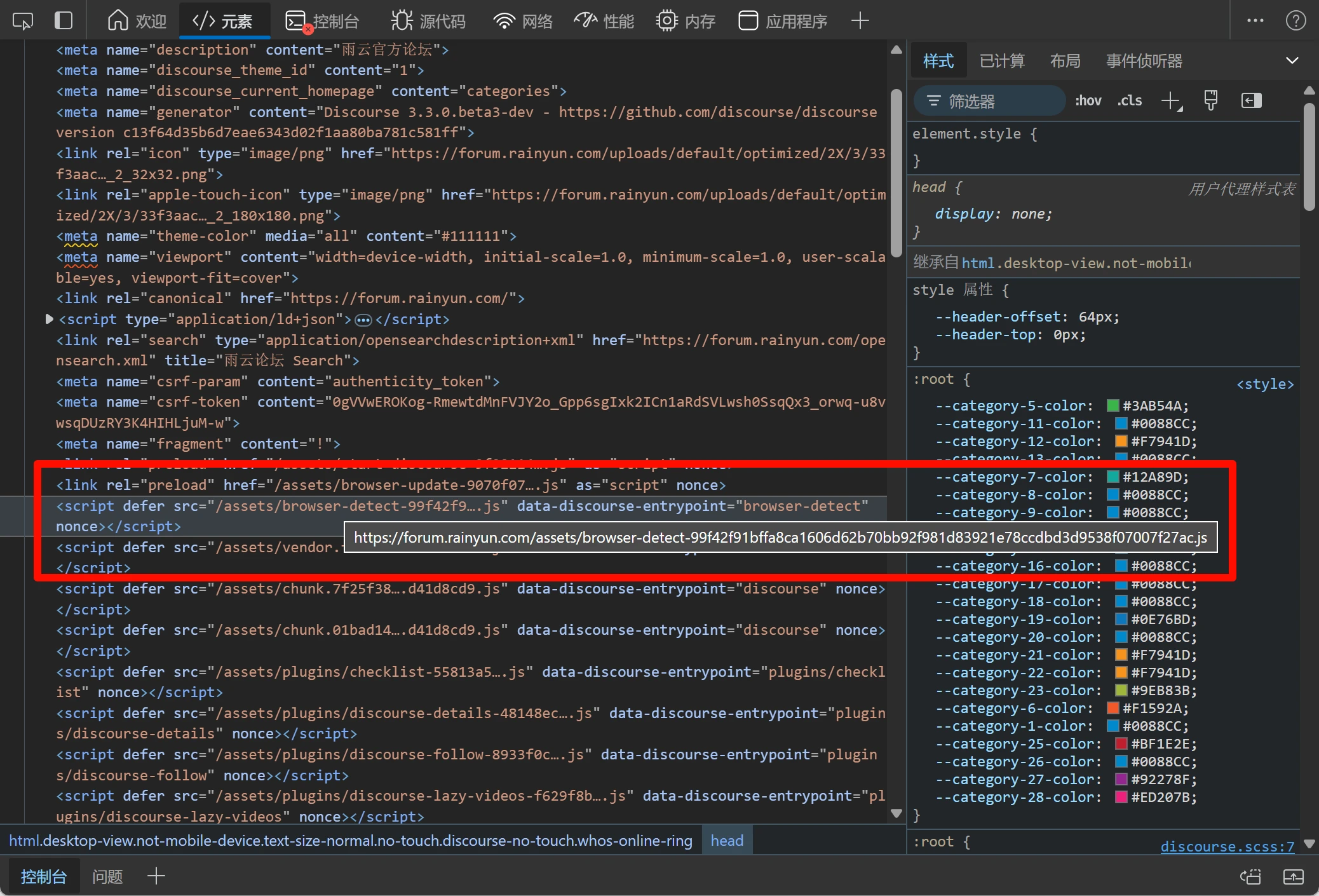
What if there is no console hint? In this case, we need to open the Elements tab and try to find it from the referenced files
What if we can only find files named with a string of gibberish? Then we need to bring out GitHub
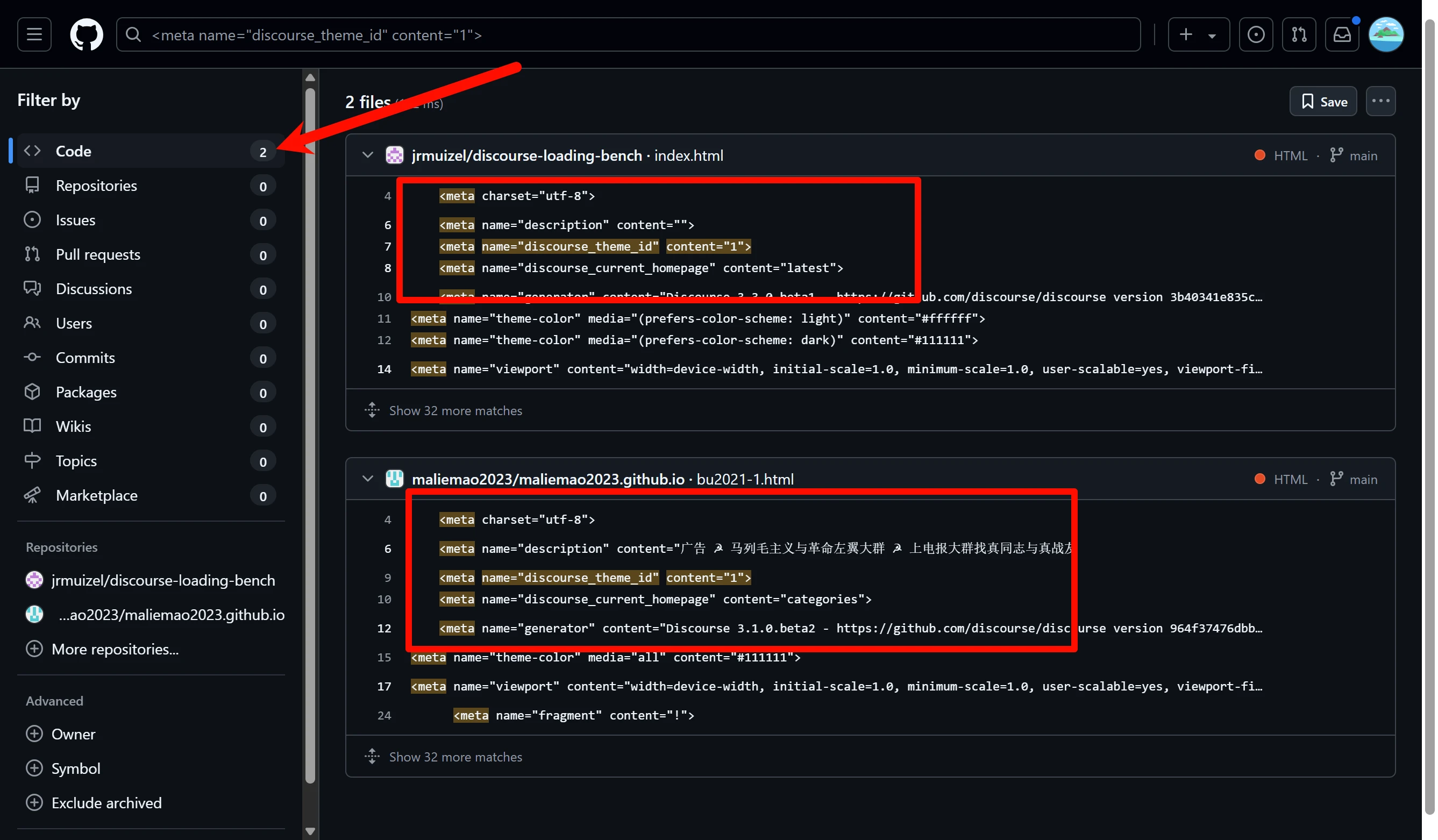
First, we need to find some representative tags and copy them into GitHub search
We click Search source code in the upper left corner, and at this point we see two results appear, and the context is somewhat similar to the 雨云 forum. At this point, we can basically confirm that it is definitely an open source project
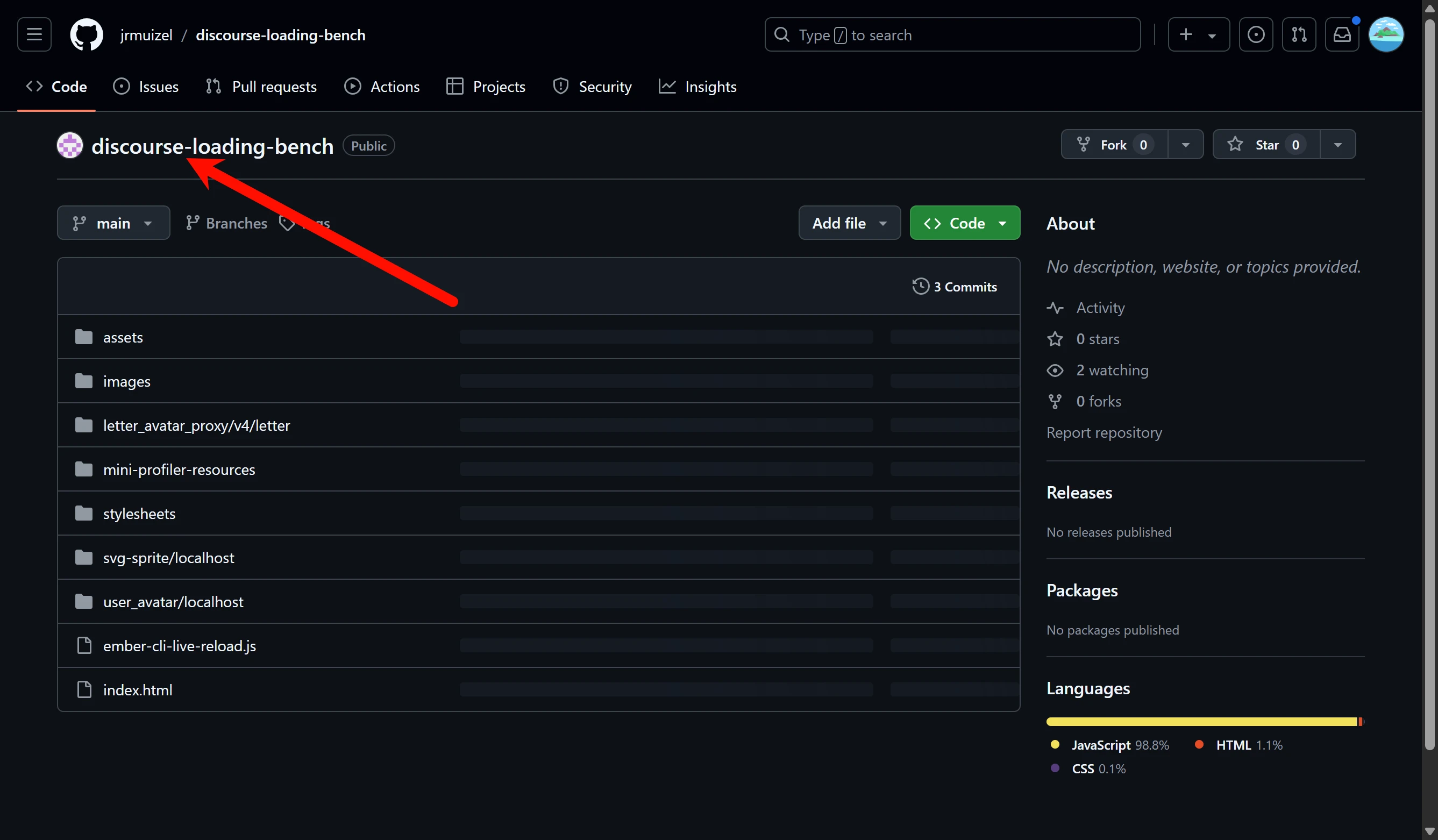
If we look at the project name, won't the truth be revealed?
Doesn't discourse-loading-bench mean discourse load balancing?
Downloading Releases
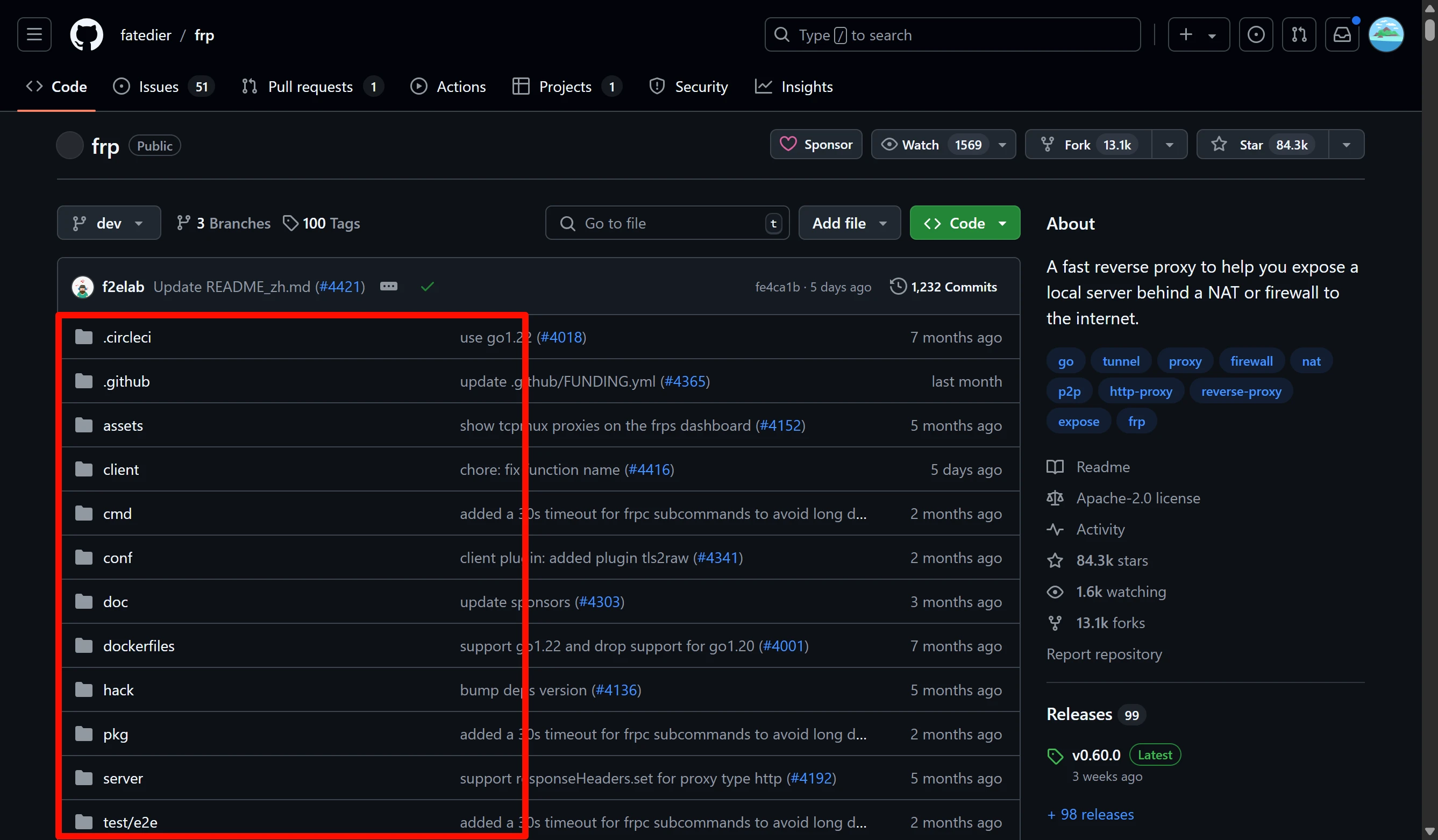
Since this is an open source platform, what you find is mostly source code. Source code needs to be compiled before it can run, and compiling is time-consuming and not beginner-friendly, so what we want to find is an already compiled version
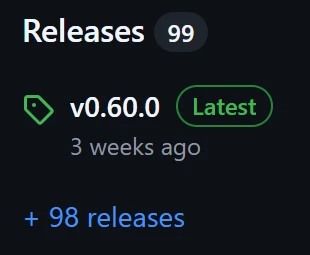
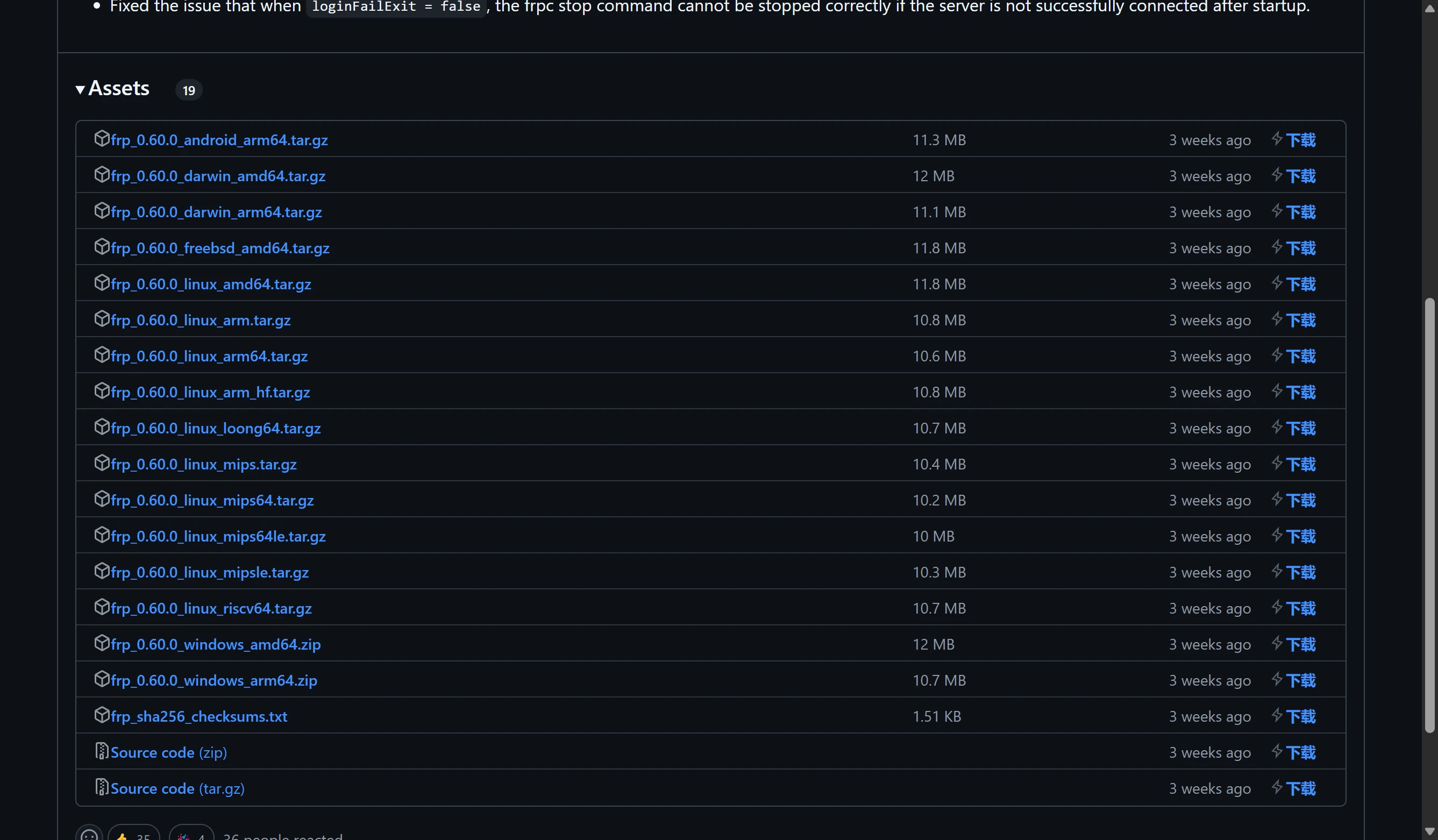
If we scroll down a bit, we can find a Releases, which means releases. What is shown here is the latest version, and clicking into it directly will usually lead you to the download location
You can download it by directly clicking the file name. The “Download” on the right is not actually there; it's just that my browser extension added a button that can customize an acceleration address. The acceleration address I use is ghproxy
Found It but Don't Know How to Use It
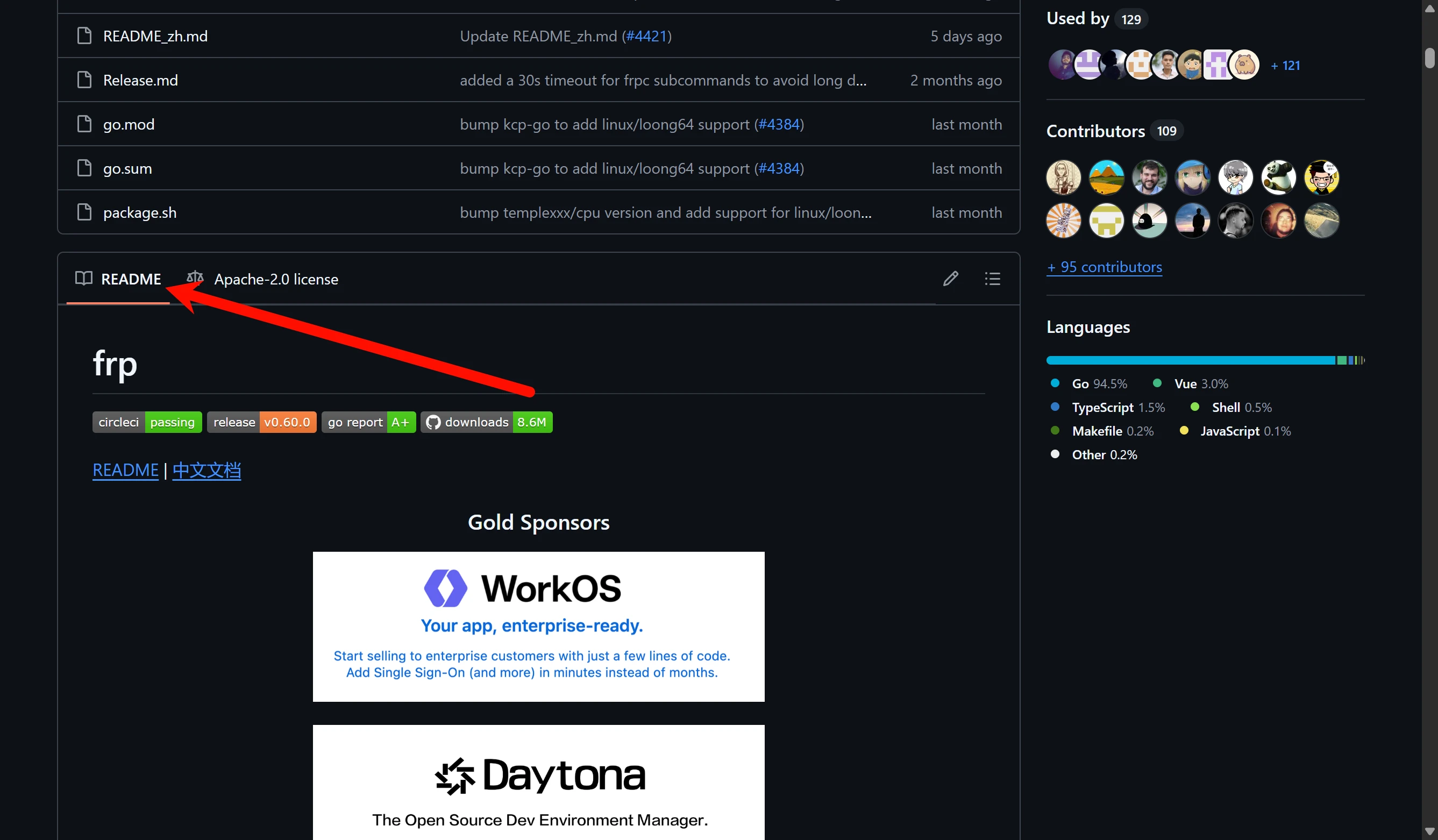
If you find an open source project that seems to meet your needs but you don't know how to deploy it, we can find the automatically embedded README document (readme file) below
If you look around in it, you can usually find deployment tutorials
Comments
Discussion
Be kind and keep the discussion friendly.
Discussion
0 comments