
One Article Tells You How SafeLine Really Performs
Repost license
Request authorization before reposting and retain the authorization code, original URL, and go/affiliate links.
Original URL:https://www.geekcorelab.com/post/an-article-tells-you-what-exactly-lei-chi-is-like
The commercial link is an authorized go short link that must stay on the reposted page. It records the source before sending readers to the original article.
Preface: In this article, "SafeLine" refers to "SafeLine Community Edition"; the Professional Edition will be specifically marked
Detection Effect and Performance
Detection Effect Comparison
For WAF detection effect, there are already related articles in the community for reference
Test Report of Six Free WAFs - CT Stack Security Community (chaitin.com)
Here we only quote the comparison table released at the end. For more detailed data, please click the link above to read the original article
WAF Name Missed Detection Count False Positive Count Accuracy Average Processing Time SafeLine Community Edition 149 entries 38 entries 99.44% 0.73 ms Coraza 171 entries 5182 entries 84.10% 3.09 ms ModSecurity 175 entries 7381 entries 77.56% 1.36 ms Baota WAF 351 entries 96 entries 98.67% 0.53 ms ngx-lua-waf 362 entries 475 entries 97.51% 0.41 ms SuperWAF 437 entries 46 entries 98.57% 0.34 ms It can be seen that judging only by accuracy, SafeLine Community Edition has the highest accuracy. As for average processing time, I think anything within 1 ms can be ignored. However, because "CT Stack Security Community" is Chaitin's website, I have reason to suspect that it may be somewhat "biased" toward SafeLine itself, so I searched Google and Bing for articles using keywords such as "SafeLine", "WAF comparison", and "open source WAF", and finally compiled the following quotations:
Evaluations from the Internet
In an answer to this question on Zhihu, it was mentioned
Evaluation of SafeLine performance
A reliable figure is that at 11000 QPS, CPU usage can basically be guaranteed to be 1 core and memory will not continue to rise
Evaluation of Modsecurity
modSecurity is mainly rule verification (verifying known vulnerabilities)
Someone in our technical exchange group mentioned
Evaluation of Baota Cloud WAF
Baota WAF's defense effect is okay
My Evaluation
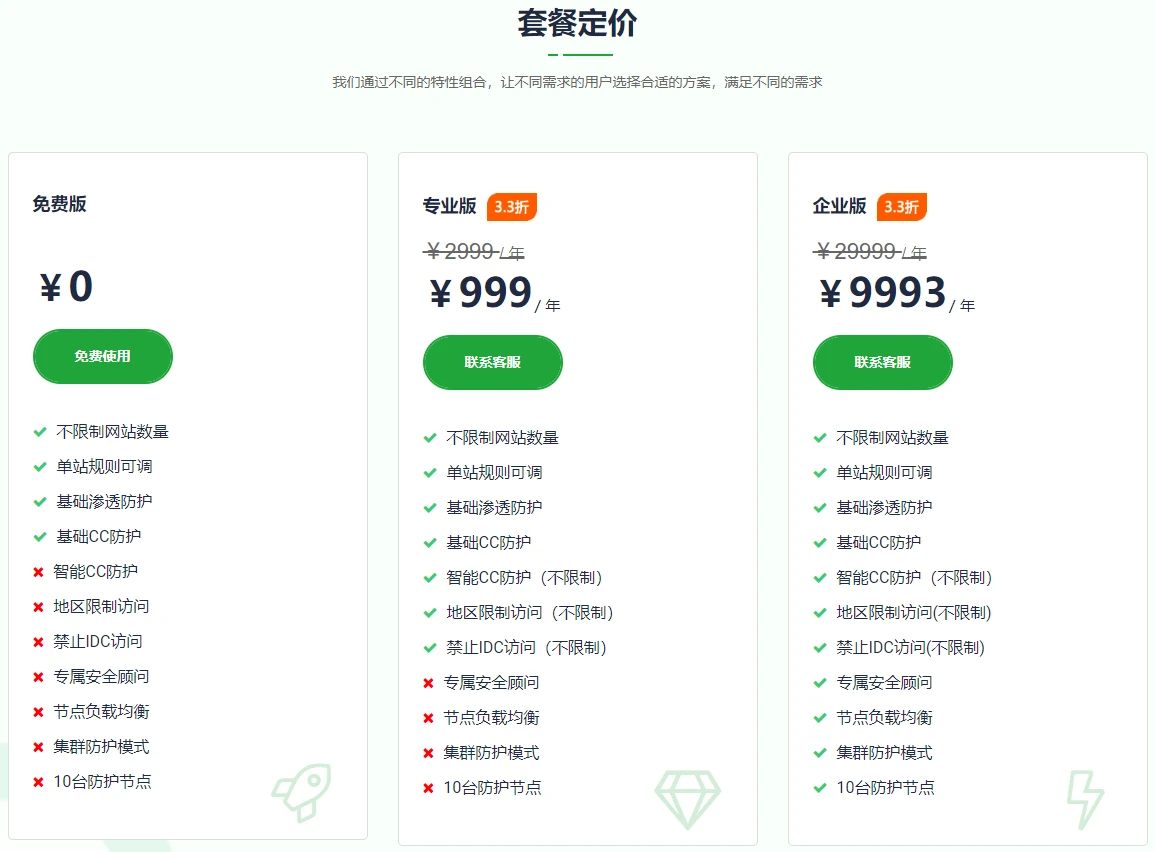
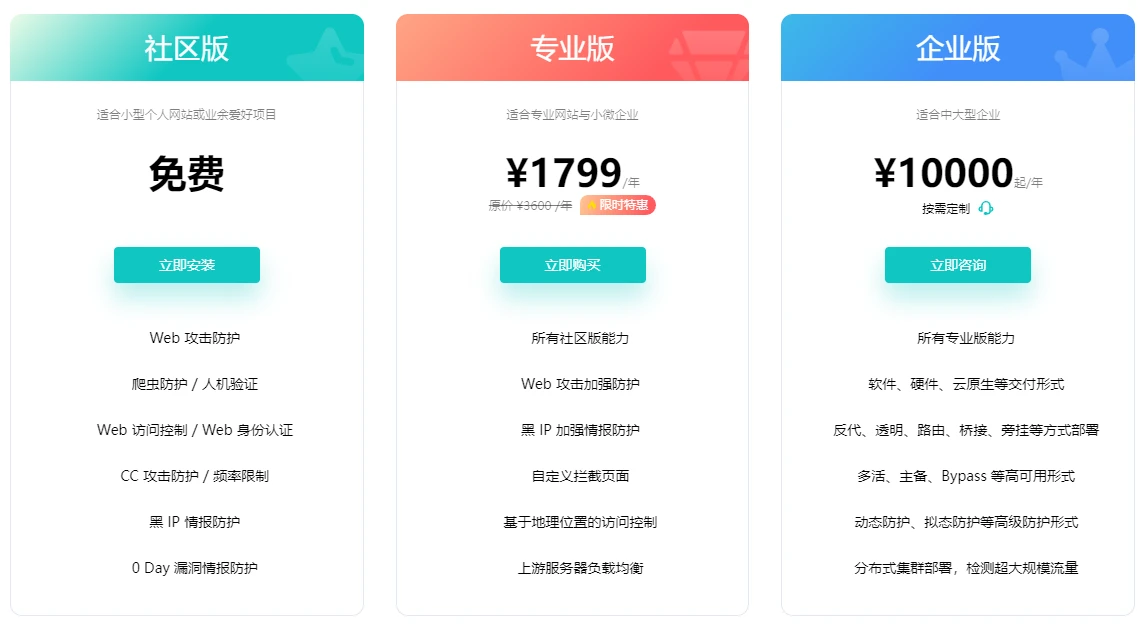
As everyone knows, Baota has released a free WAF, and it can be used without binding a Baota account, but why does it feel like this price is not as good as buying SafeLine Professional Edition??
Then let's look at the demos of SafeLine and Baota
SafeLine demo: Chaitin SafeLine WAF (chaitin.cn)
Baota demo: Baota Cloud WAF (bt.cn)
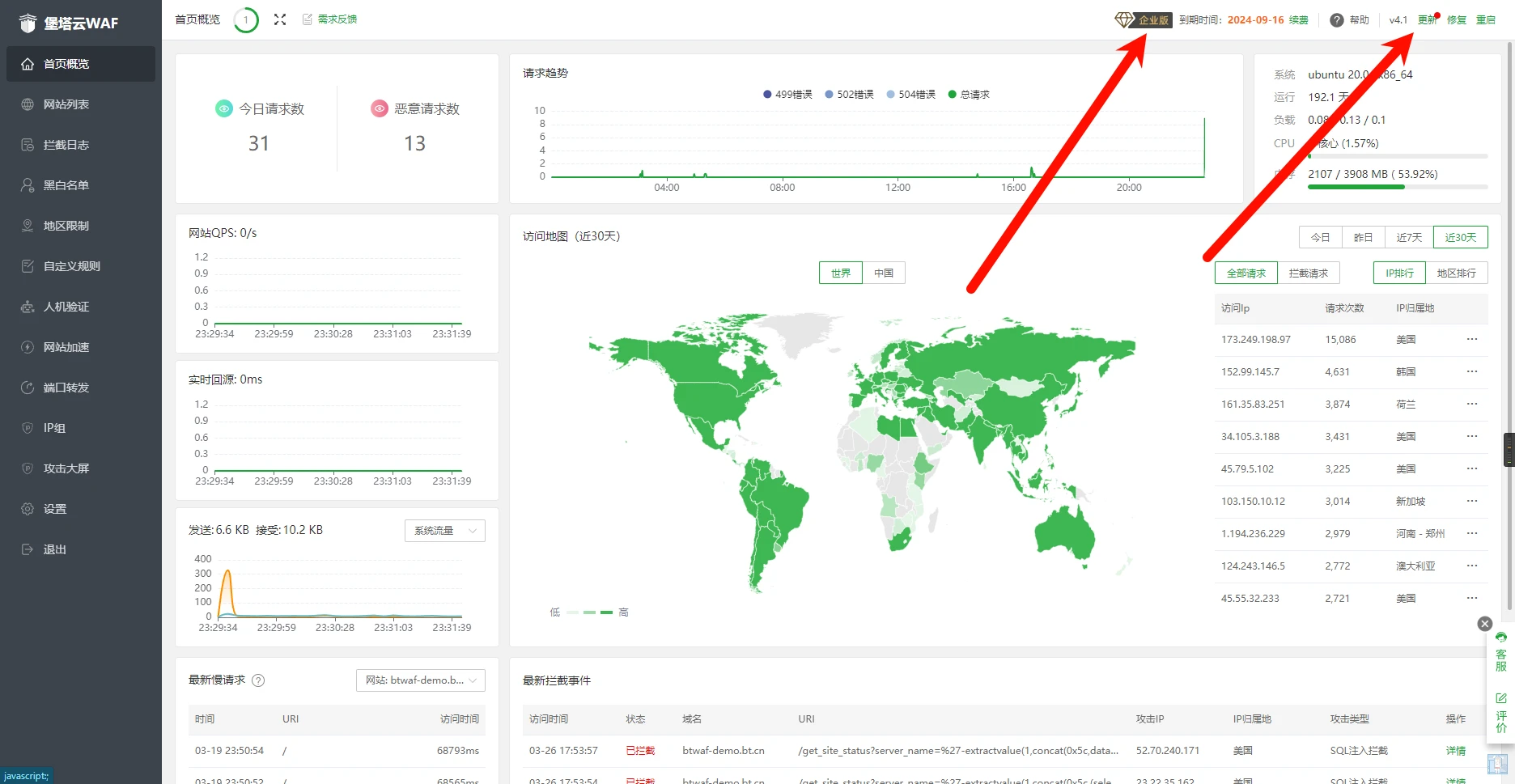
Obviously, Baota has become a hands-off emperor, and even the version is not the latest
Baota directly made the demo an enterprise edition license. I think this has very little reference value for individual users
The SafeLine demo version usually keeps up with the latest version in a timely manner, and the official website demo is also the Community Edition used by most people
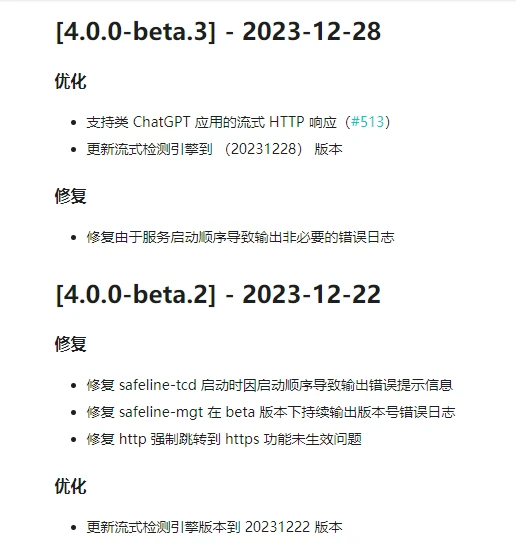
In some cases, the demo will be updated to a beta version
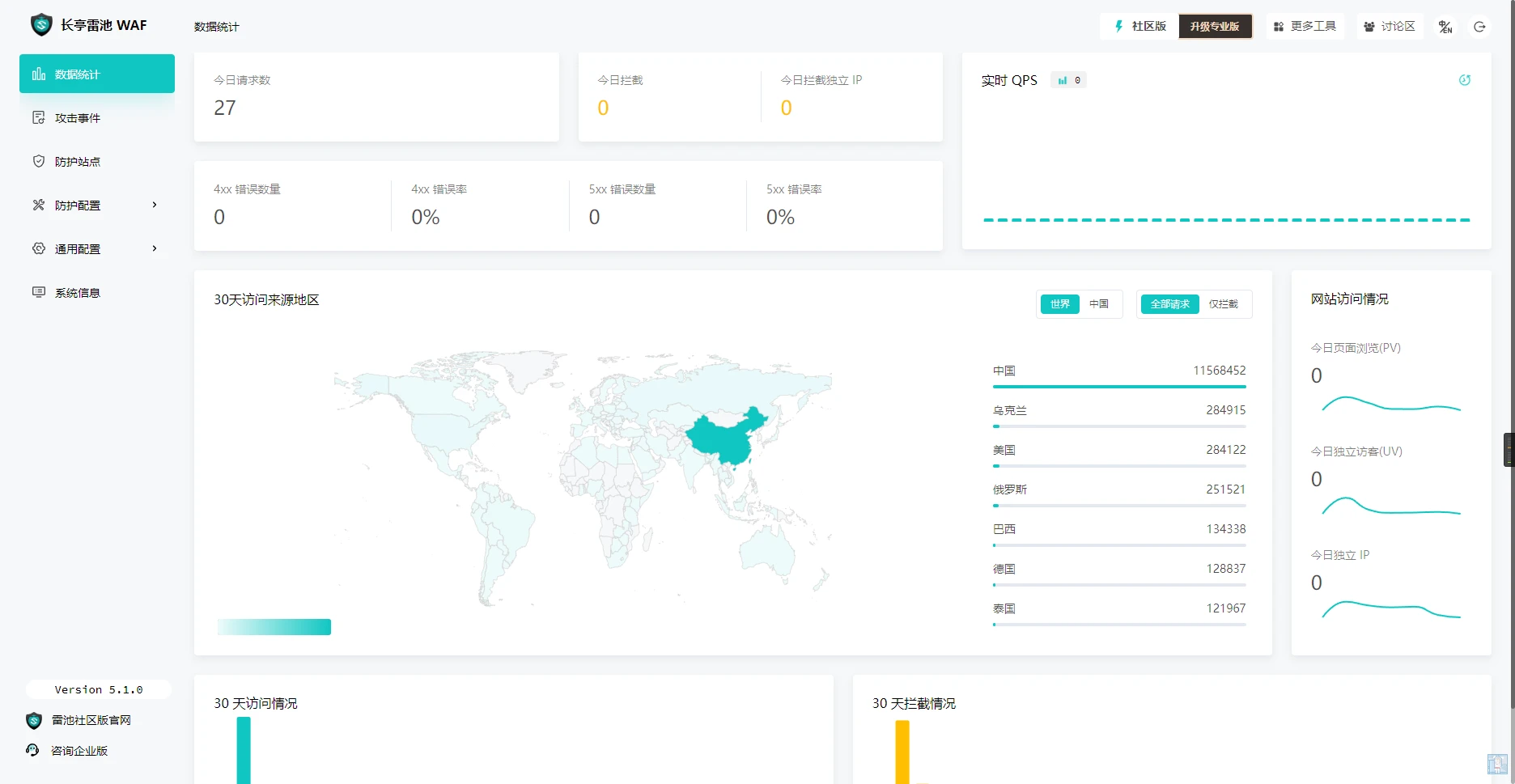
For example, when I was still using stable version 3.16.1, the official demo had already been updated to 4.0.0-beta.*, which is very helpful for me to evaluate whether the new version is worth upgrading
There is also a free WAF called uuWAF (Nanqiang), but community activity is too low, and I haven't seen anyone test its defense capabilities. However, I also used this firewall for a long time, but the overall experience was quite average. The specific case is placed in the collapsed display here; those who want to see it can click to see my process from liking uuWAF to completely giving up on uuWAF
Click here to see my application case
I first learned about uuWAF on 1Panel. At that time, 1Panel said it would put an open source WAF into the app store
When I first used it, the experience was still very good (the only bad thing was that the algorithm used for OTP authentication was updated, so I couldn't use Microsoft's Authenticator, which was very inconvenient for me; Google Authenticator also couldn't be used, but FreeOTP could, and someone in the community said Synology's authenticator could also be used)
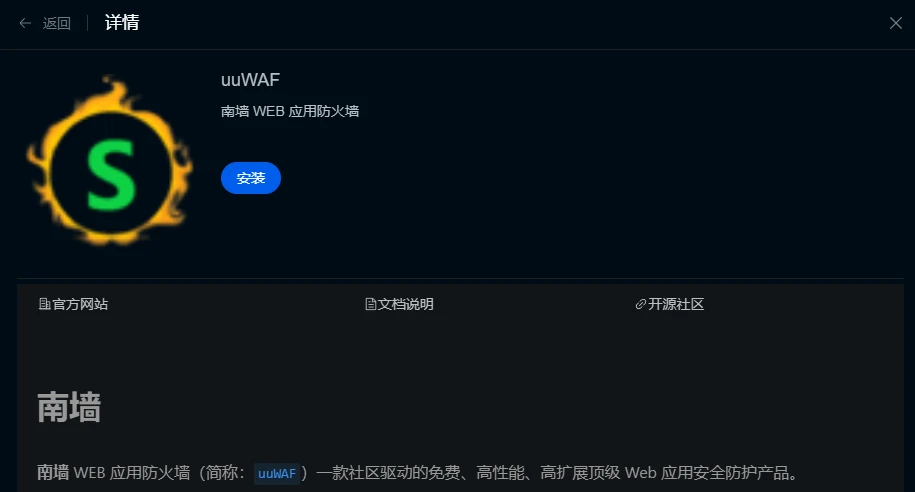
After using it for a while, I found that uuWAF's operating logic was very strange and difficult to use. When you edit a site, you clearly want to modify only one option, but you have to go through all the configuration processes, which is very inefficient
After that, I simply switched to SafeLine WAF, but I soon found that SafeLine does not support custom defense rules. For example, in the default XSS rules, there is one rule that keeps causing false positives in my environment. At this time, I could only disable the XSS rules, but could not modify a single matching rule
So I switched to a dual-firewall solution with SafeLine on the public network and uuWAF on the internal network. SafeLine initially filtered traffic, and uuWAF customized rules behind it
But after doing this, I found a serious problem. After a certain attack, SafeLine blocked some of it, and the rest was sent to the backend uuWAF. As a result, uuWAF died. This led to the situation at the beginning: SafeLine did not die, the software I specially used for traffic forwarding did not die, the backend OpenResty did not die, but only uuWAF died. At that time, the server deploying uuWAF was 4c8g, and daily usage occupancy was not high
Since this accident, I directly removed uuWAF. After all, this is too unstable
WAF Feature Comparison
This table only includes comparisons that can be considered non-basic functions to some extent. Basic functions will be split into several larger sections for comparison
Feature Name SafeLine Baota Cloud WAF uuWAF CC Attack Sensitivity Moderate and adjustable Community feedback says it is too sensitive
Jokingly called "WAF is used to prevent CC" WAF did not withstand the traffic
and was killed WordPress False Positives Some plugins have many false positives
(e.g., when connecting to Matomo
it sends some code snippets to the server
when saving) Fewer false positives, but I think it is
that it cannot detect them Many false positives Ease of Use Newbies can get started quickly while retaining Suitable for newbies, configuration method is more like
configuration file Visualization is low, operation is troublesome Freedom
(customizability) Moderate; can use blacklist and
whitelist for restrictions
Supports IP, Host,
Header/Body
Supports region restrictions (Professional Edition required)
Can directly edit configuration files
to implement more functions
Custom rules not supported or options for custom rules are messy
(maybe to optimize performance)
Custom rules supported or
Supports direct TCP forwarding
Rules can be highly customized according to the official API documentation
Supports writing your own Lua scripts Resource Cache Not supported for now (asked the official,
they said it will be added later) Available and configurable Available and configurable
but a bit difficult to use compared with Baota Cloud WAF Interception Page Aesthetics Grand Content is all crammed together There is a lock animation, but
it feels strange Interception Response 403 or 200 (officials say 200
is easy to mislead attackers) Supports setting a default interception page (403)
or Nginx's unique 444
(i.e., does not respond with any content) Default is 403, supports Lua customization Load Balancing Supported in Professional Edition Free during public beta Completely free Large-screen Monitoring No Yes No Whether There Is a Free Edition Yes Yes Yes Professional Edition Price 299 per month, 1799 per year 999 per year None Enterprise Edition Price Starting from 10000 per year 9993 per year Price negotiable SafeLine Professional Edition
Because the Baota Cloud WAF demo is already the Professional Edition, if you are considering whether to buy it, you can directly look at the official demo, so this article does not specifically introduce it
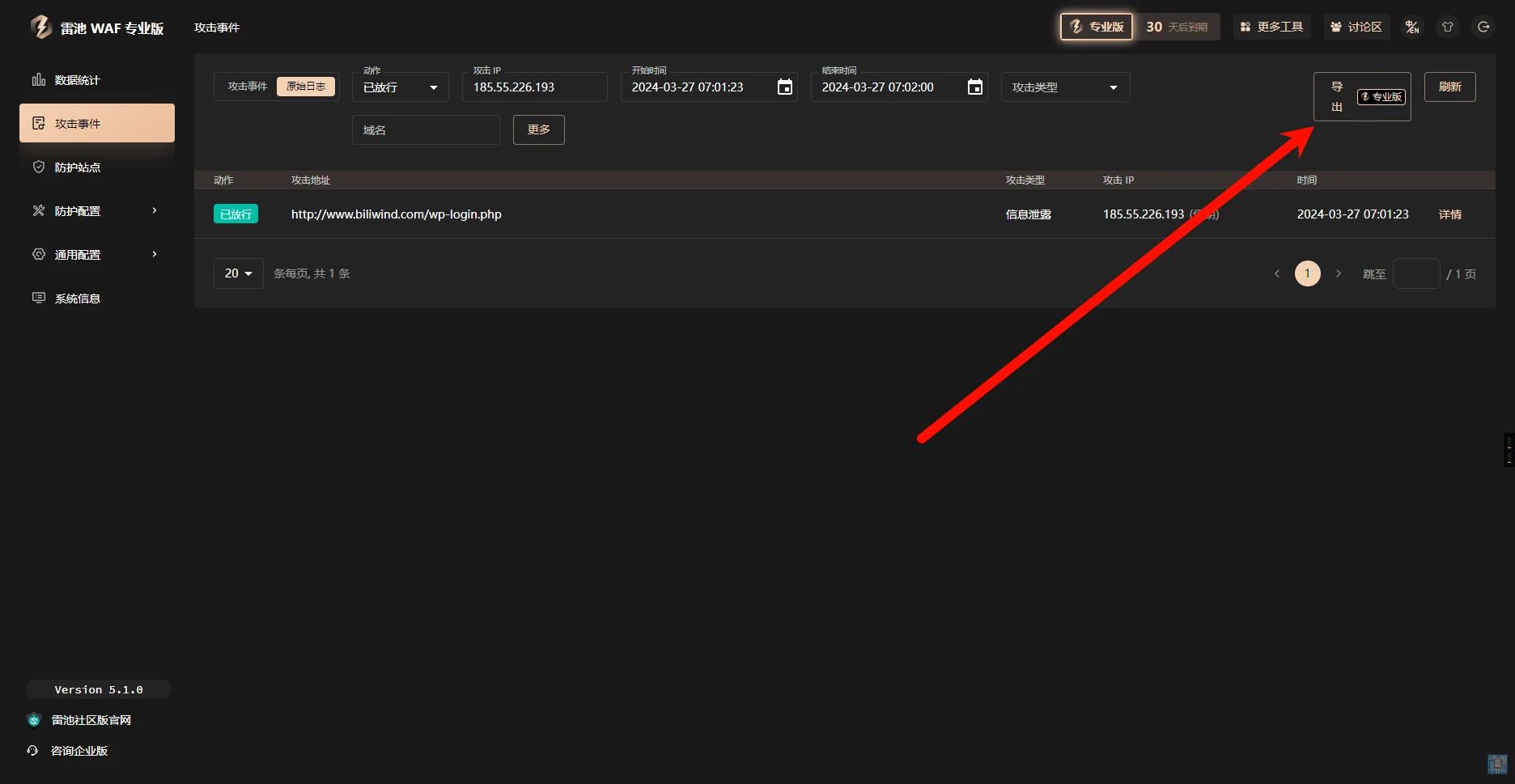
The Professional Edition supports log export, but the word "export" is really... hard to describe
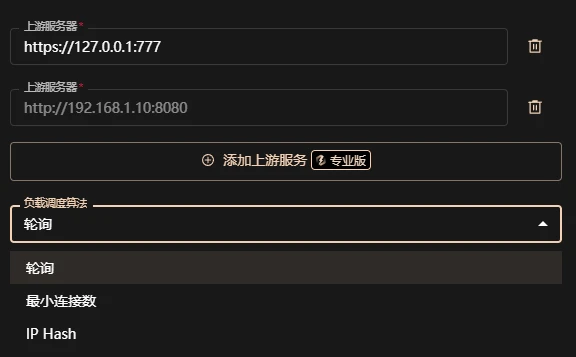
The Professional Edition supports load balancing, and the algorithms are the most commonly used round robin, least connections, and IP short hash
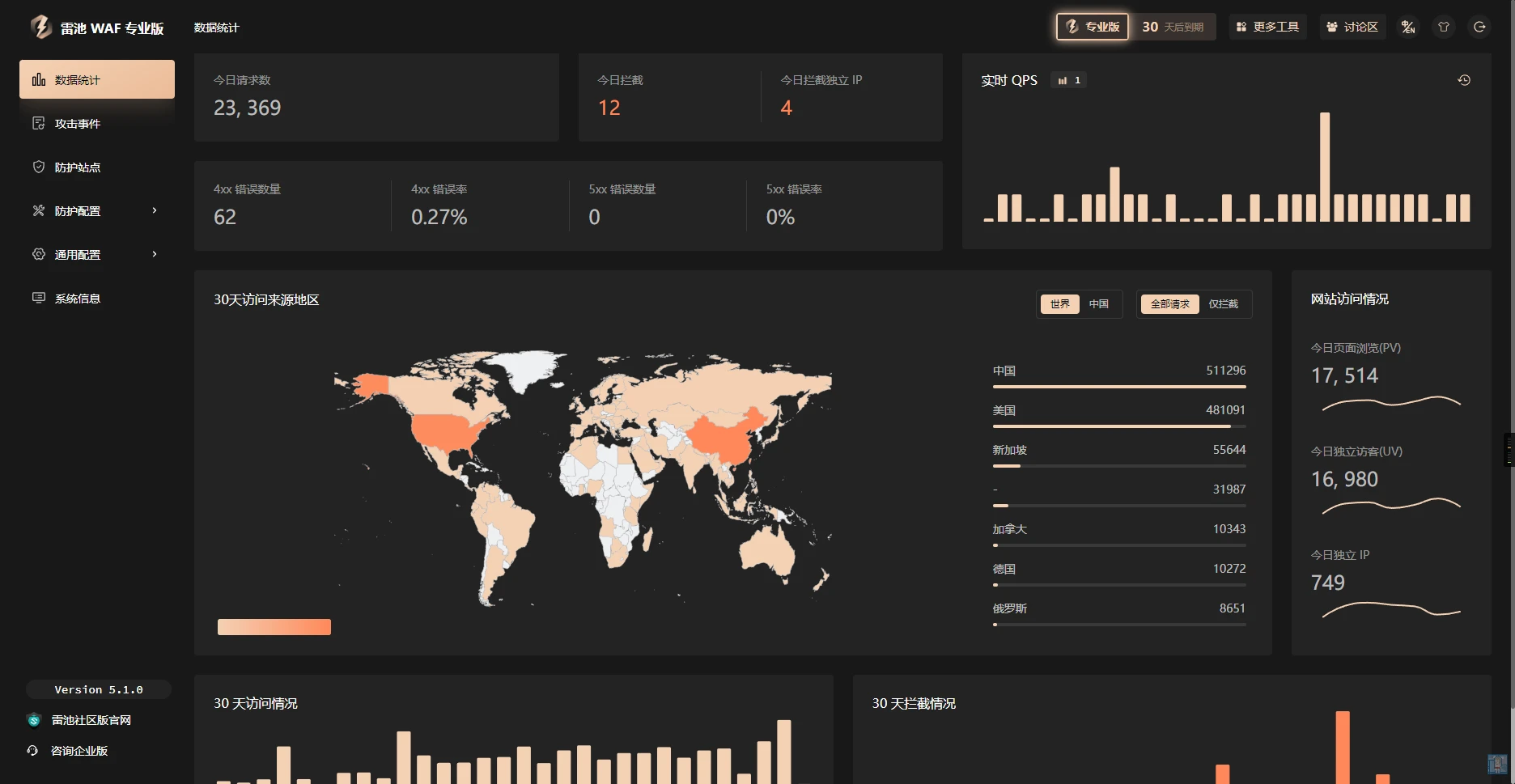
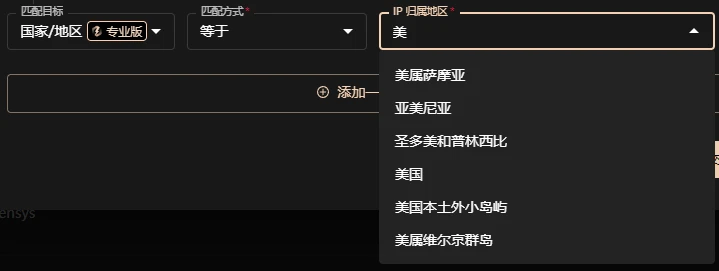
In terms of blacklist and whitelist (human verification also supports this selection), two matching targets, "Country/Region" and "Province and Region", have been newly supported, and there are many options. Then I found that it supports typing to search and select, which is a big thumbs up!!
In IP intelligence, it supports upgrading to enhanced intelligence

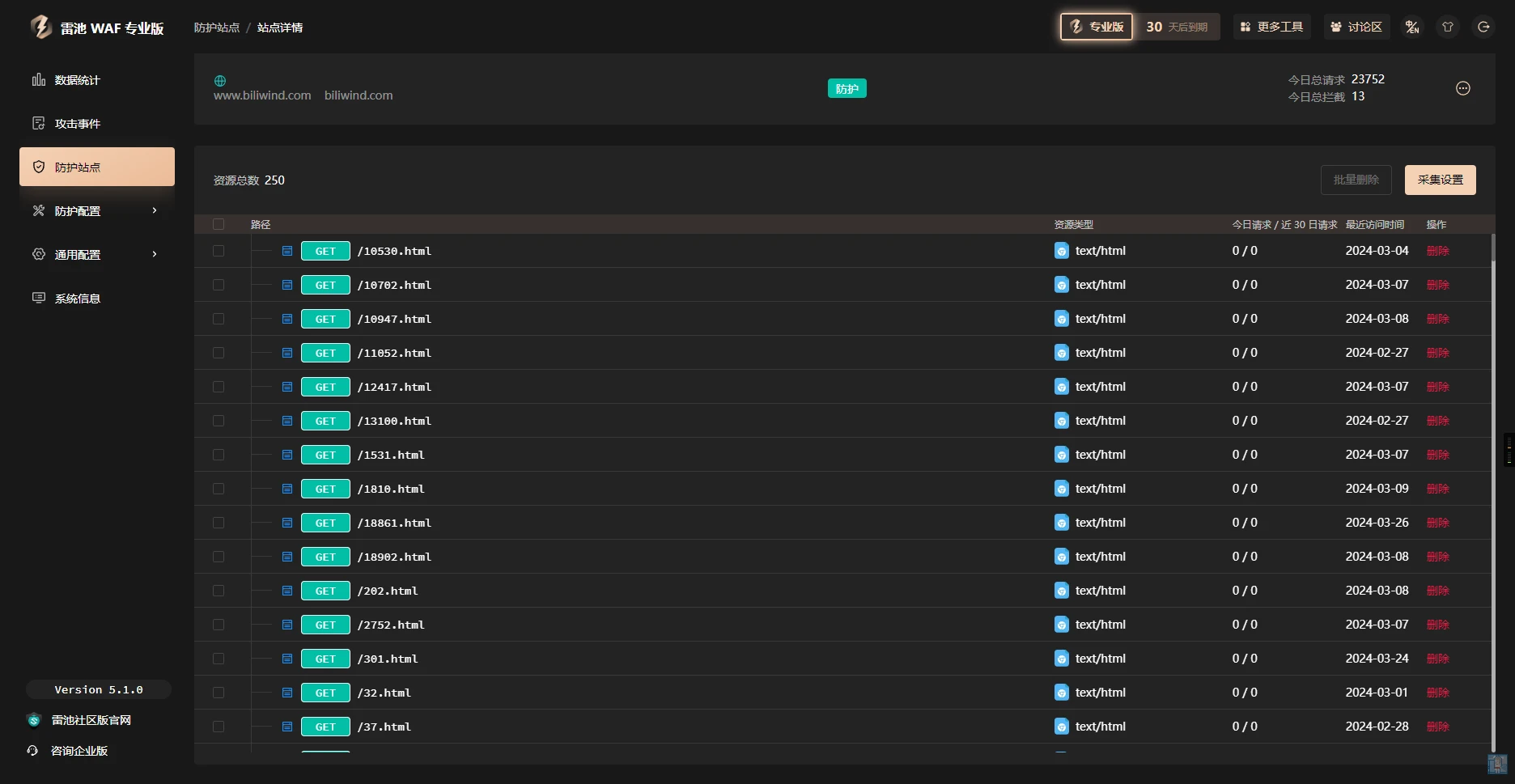
In terms of collection, the Professional Edition does not differ much. It looks like the cache function has not been implemented yet
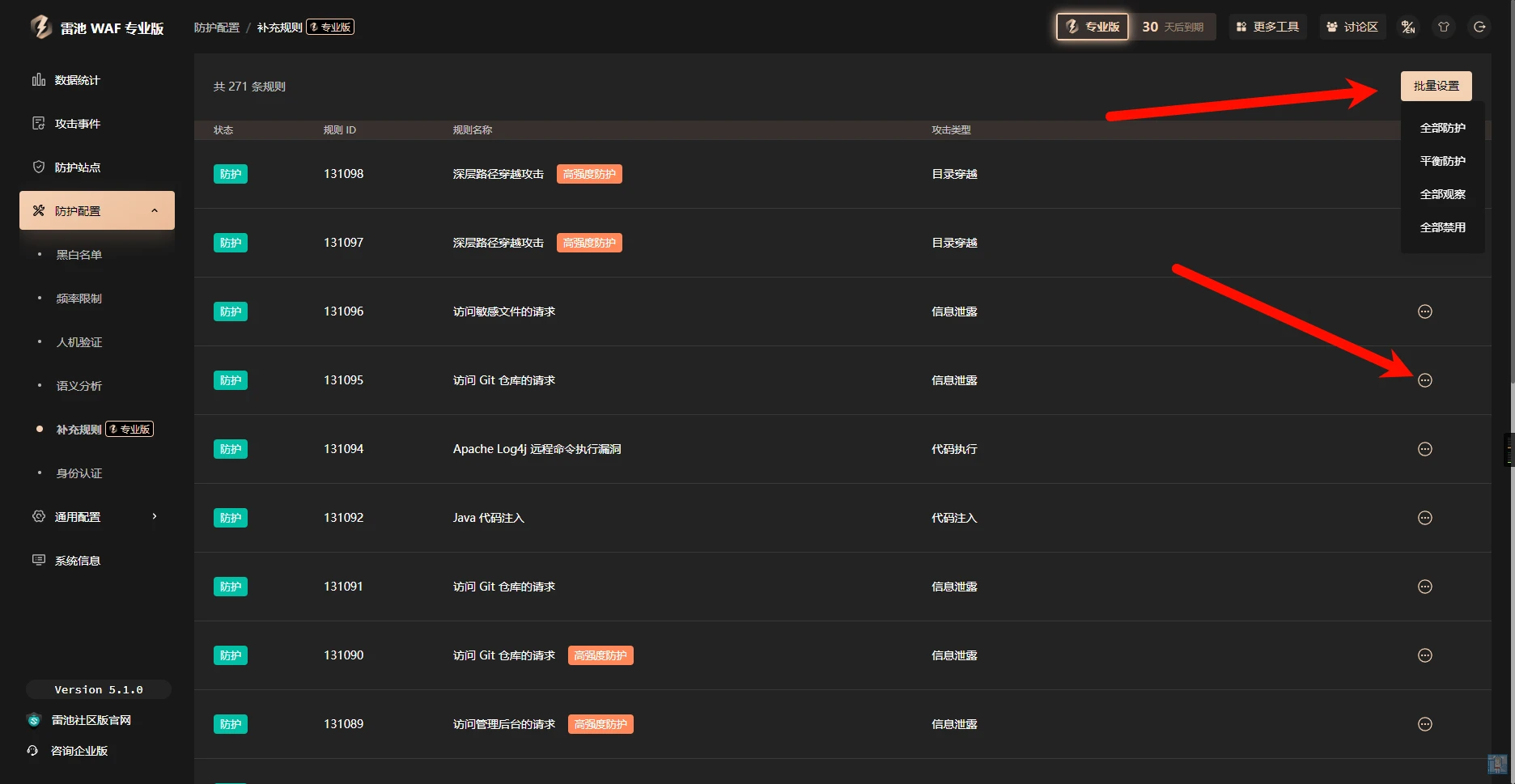
In the Professional Edition, all settings for supplementary rules are open. Setting it to balanced protection is the rule that the Community Edition is forced to use
Common Questions After Using WAF
Backend Cannot Obtain Real IP
Add the following to the backend Nginx configuration file:
    set_real_ip_from 0.0.0.0/0 ;
    real_ip_header X-Forwarded-For;
    real_ip_recursive on;
As for how to do it with Apache, I have not been exposed to it, please Google it yourself
Do Not Want Major Changes to Network Structure
It seems that only SafeLine supports this. You can use bypass access to directly integrate protection capabilities into the backend
Disadvantages of SafeLine
Note: This only represents personal views. If you disagree or have better suggestions for my solutions, welcome to discuss in the comments
Human Verification Process
This is the flowchart on the SafeLine official website
At this time, there will be two requirements. The first is what the current process can achieve, that is, hoping that whitelisted IPs will not be filtered at all
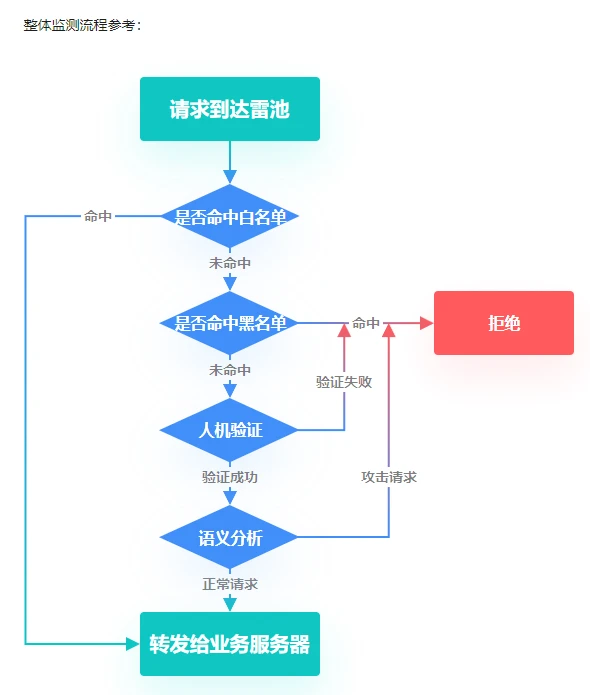
The second is hoping that under certain conditions, when no rule is matched, human verification will be performed. Then it is necessary to perform verification first and then match the whitelist
After consulting the official, I learned that the second requirement can be achieved in the Enterprise Edition, but my zero-cost solution is to deploy another SafeLine, turn off all semantic analysis, and then enable only human verification. In this way, human verification can be matched first and then forwarded to the second SafeLine to filter traffic
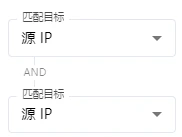
Blacklist and Whitelist Rules Do Not Support or
When adding rules, conditions can only be AND, not OR. If or matching is needed, rules can only be added one by one
The official explanation is that code development is too complex, and or can be achieved by adding rules one by one
Blacklist and Whitelist Rules Do Not Support Export
emm If I want to quickly configure multiple servers, this will be very troublesome. It would be better if there were an export function. In addition, if I want to share some rules with the community, it would also be more convenient
I haven't thought of any solution for this at present, but maybe I can target the database?
Certificate Application Only Supports HTTP Verification
Currently, only HTTP application is supported, and only Let's certificates are supported, not ZeroSSL
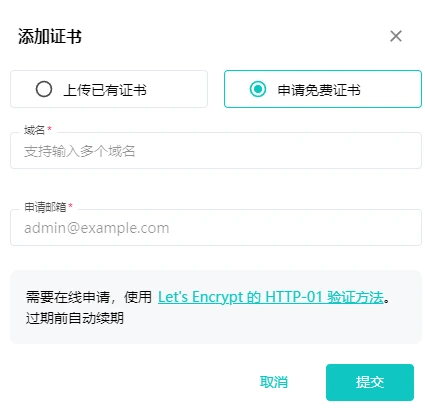
For this, I found that certificates are stored in the resources/nginx/certs directory under the SafeLine installation directory. You can use the function of copying a certificate file to a local directory when generating a certificate in the panel, combined with a scheduled script, to automatically synchronize certificates generated by the panel
Supplementary Rules Cannot Be Disabled in the Community Edition
I think this is a relatively counterintuitive design. Although the Community Edition does not support the use of the more advanced "high-intensity protection", it should not force the use of balanced protection. There should be a certain degree of freedom on the basis of balanced protection, at least supporting turning off protection here. After all, if there are always false positives here and they cannot be turned off, it would be torture to think about it
Comments
Discussion
Be kind and keep the discussion friendly.
Discussion
0 comments