
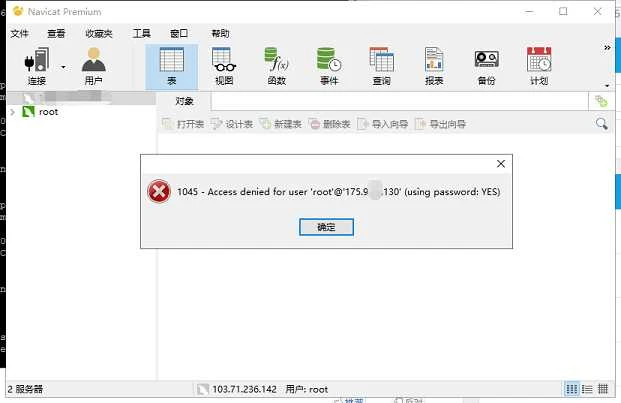
MySQL Remote Connection: % Privilege
Repost license
Request authorization before reposting and retain the authorization code, original URL, and go/affiliate links.
Original URL:https://www.geekcorelab.com/post/permission-for-mysql-remote-connection
The commercial link is an authorized go short link that must stay on the reposted page. It records the source before sending readers to the original article.
We often encounter this problem when managing databases from a remote computer
So this article will help you solve this problem
The test server uses CentOS7.5-MySQL5.5
You need to open theMySQLport first; otherwise, it will not connect even after configuration
If you are using aniptablesfirewall, you can open3306with the following operationsvi /etc/sysconfig/iptables #编辑防火墙配置文件
Add a line at the very bottom-A INPUT -m state --state NEW -m tcp -p tcp --dport 3306 -j ACCEPT:wq! #保存退出
Then you need to restart the firewallsystemctl restart iptables.service #重启防火墙使配置生效systemctl enable iptables.service #设置防火墙开机启动
The operation is very simple, just 5 steps, as follows:
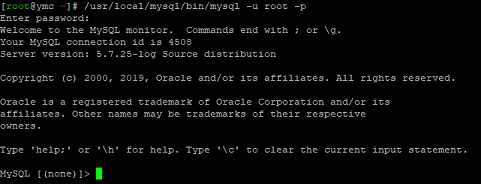
First, connect to MySQL
mysql -uroot -p or /usr/local/mysql/bin/mysql -u root -p
Then, when Enter password: appears, enter your MySQL root password
If the following image appears, it means MySQL connected successfully
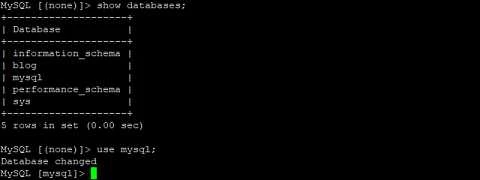
Enter the mysql table
use mysql;
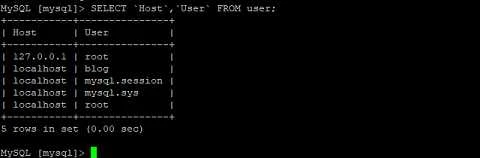
View the user table
SELECT `Host`,`User` FROM user;
Update the permissions of the root user
UPDATE user SET `Host` = '%' WHERE `User` = 'root' LIMIT 1;
% can be changed to a specified IP

Force refresh permissions
flush privileges;
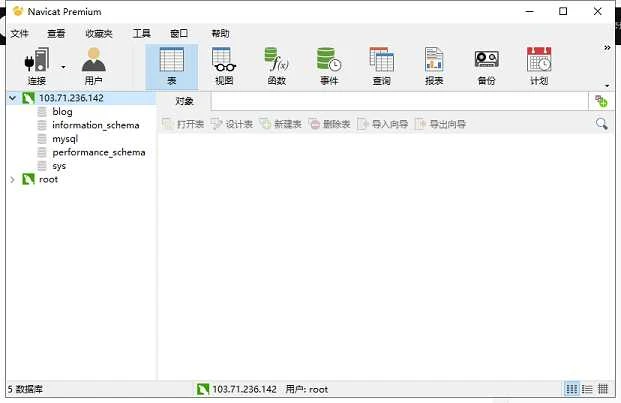
After completing the above steps, you can connect to the database remotely

Comments
Discussion
Be kind and keep the discussion friendly.
Discussion
0 comments