
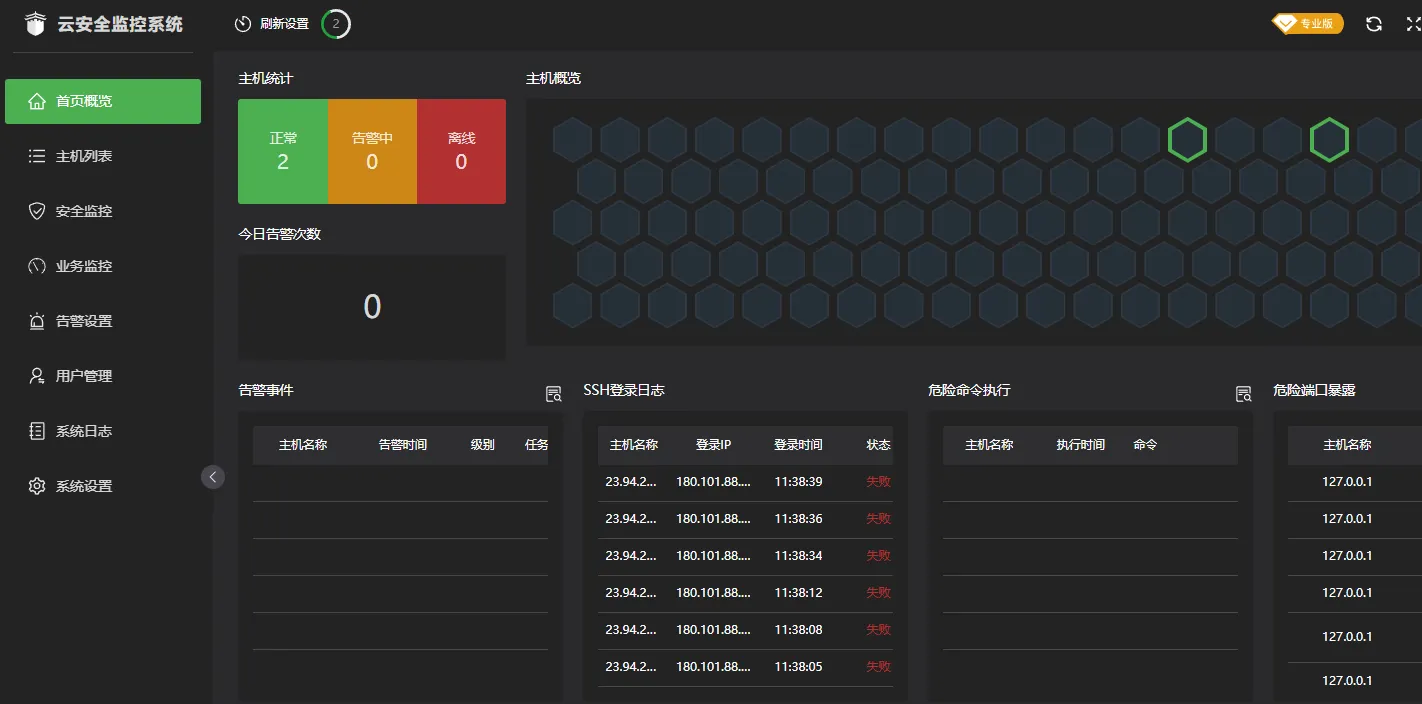
堡塔云监控2.1.7 Cracked Version - May 20, 2023 [Released]
Repost license
Request authorization before reposting and retain the authorization code, original URL, and go/affiliate links.
Original URL:https://www.geekcorelab.com/post/baota-cloud-monitoring-2-1-7-happy-edition-may-20-2023
The commercial link is an authorized go short link that must stay on the reposted page. It records the source before sending readers to the original article.
After a day of testing, it runs normally
Test environment:
Master end:
CentOS 7.9.2009 x86_64
宝塔面板7.9.10
Controlled end:
Debian 10
宝塔面板7.9.10
Note: this is 宝塔云监控 (as shown above), not 宝塔云控平台 (as shown below)!
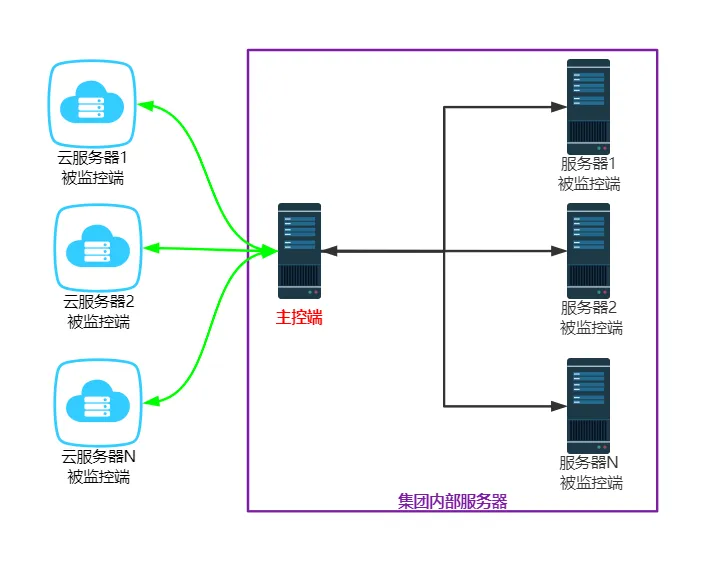
The cloud control master currently only supports centos 7. The cloud control controlled end currently supports centos and Ubuntu (Debian not tested). The cloud monitoring management system consists of a cloud monitoring master end and a monitored end. The cloud monitoring master end is used to manage monitored ends, view and receive data from monitored ends, and send alarm notifications.
The monitored end is installed on the monitored server to collect data.
Basic architecture diagram of the cloud monitoring management system:

The following content is excerpted from the official post: https://www.bt.cn/bbs/thread-97800-1-1.html
Update log:
-
[New] Rescan virus scan task
-
[New] Display virus count in virus scan task
-
[Fix] BUG where controlled panel reports error on open
-
[Fix] BUG where all business monitoring tasks suddenly go offline
-
[Fix] UI misalignment issue in virus scan interface
-
[Optimize] Business monitoring running speed
-
[Optimize] Virus scan file viewing window
Install cloud monitoring master end
Fresh install: run the following command on the cloud monitoring master end to install the cracked version of the cloud monitoring master end
if [ -f /usr/bin/curl ];then curl -sSO http://io.bt.sy/install/install_btmonitor.sh;else wget -O install_btmonitor.sh http://io.bt.sy/install/install_btmonitor.sh;fi;bash install_btmonitor.sh
Already installed: run the following command on the official cloud monitoring master end to upgrade the official cloud monitoring master end (upgrade an installed official version to the cracked version)
curl http://io.bt.sy/install/update_btmonitor.sh|bash
Monitored end command:
Uninstall master end command:
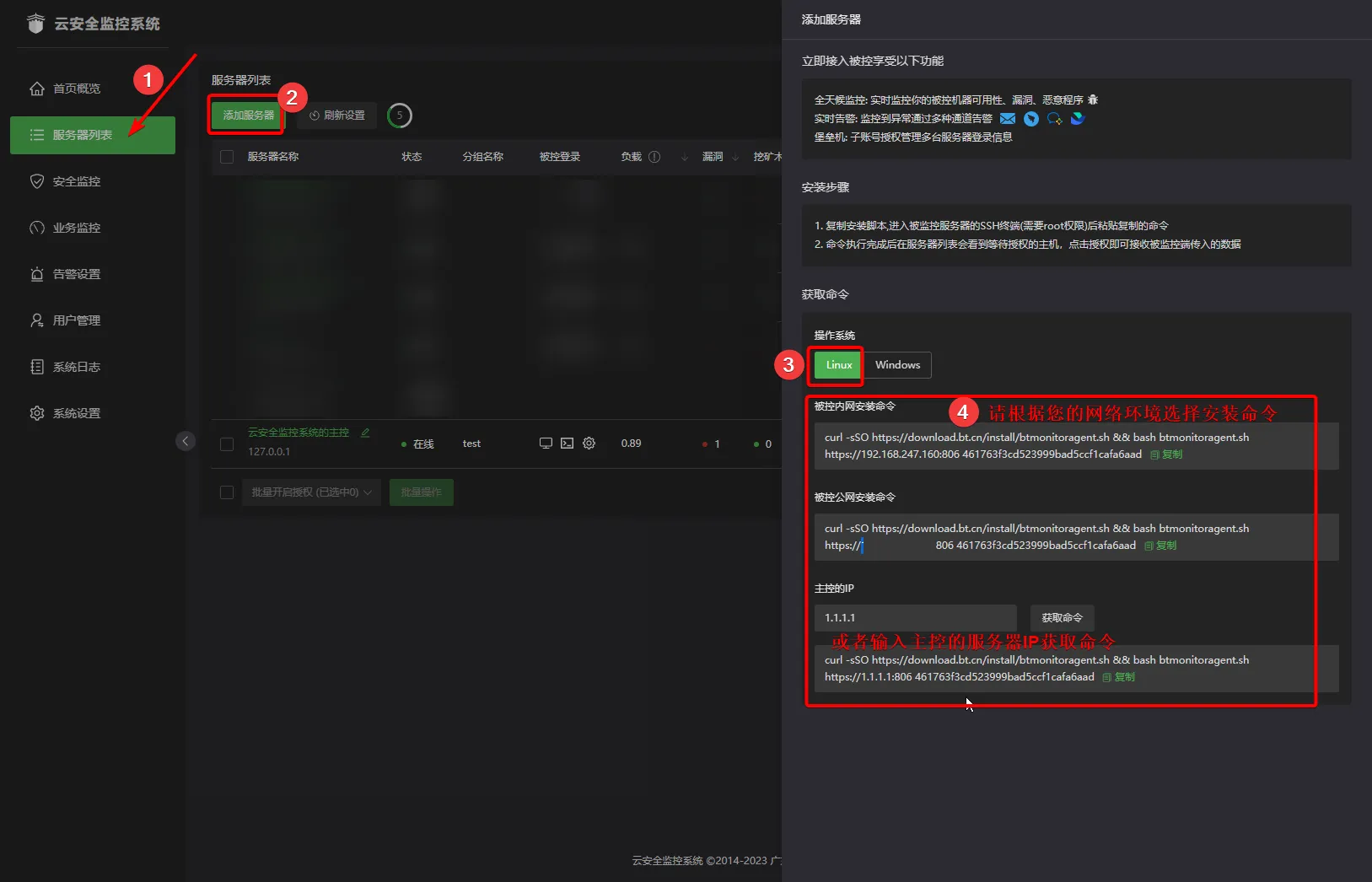
curl -sSO http://download.bt.cn/install/install_btmonitor.sh && bash install_btmonitor.sh uninstall
Uninstall controlled end command:
curl -sSO http://download.bt.cn/install/btmonitoragent.sh && bash btmonitoragent.sh uninstall
Comments
Discussion
Be kind and keep the discussion friendly.
Discussion
0 comments