
Add a GitHub Button to the Top-Right Corner of the Website
Repost license
Request authorization before reposting and retain the authorization code, original URL, and go/affiliate links.
Original URL:https://www.geekcorelab.com/post/add-a-github-button-to-the-top-right-corner-of-the-website
The commercial link is an authorized go short link that must stay on the reposted page. It records the source before sending readers to the original article.
Clap clap a few times
Someone asked me before how to add the GitHub button in the top-right corner
Because the HTML on this site is minified, it's hard to find where the code is
I'll share the code
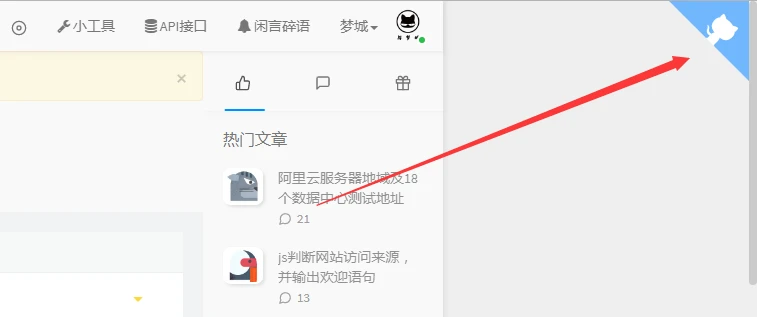
Effect Preview
The Code
<a href="https://github.biliwind.com" target="_blank" class="github-corner" style="position:fixed;top:0;right:0;" aria-label="View source on GitHub">
    <svg width="80" height="80" viewBox="0 0 250 250" style="fill:#70B7FD; color:#fff; position: absolute; top: 0; border: 0; right: 0;" aria-hidden="true">
        <path d="M0,0 L115,115 L130,115 L142,142 L250,250 L250,0 Z"></path>
        <path d="M128.3,109.0 C113.8,99.7 119.0,89.6 119.0,89.6 C122.0,82.7 120.5,78.6 120.5,78.6 C119.2,72.0 123.4,76.3 123.4,76.3 C127.3,80.9 125.5,87.3 125.5,87.3 C122.9,97.6 130.6,101.9 134.4,103.2" fill="currentColor" style="transform-origin: 130px 106px;" class="octo-arm"></path>
        <path d="M115.0,115.0 C114.9,115.1 118.7,116.5 119.8,115.4 L133.7,101.6 C136.9,99.2 139.9,98.4 142.2,98.6 C133.8,88.0 127.5,74.4 143.8,58.0 C148.5,53.4 154.0,51.2 159.7,51.0 C160.3,49.4 163.2,43.6 171.4,40.1 C171.4,40.1 176.1,42.5 178.8,56.2 C183.1,58.6 187.2,61.8 190.9,65.4 C194.5,69.0 197.7,73.2 200.1,77.6 C213.8,80.2 216.3,84.9 216.3,84.9 C212.7,93.1 206.9,96.0 205.4,96.6 C205.1,102.4 203.0,107.8 198.3,112.5 C181.9,128.9 168.3,122.5 157.7,114.1 C157.9,116.9 156.7,120.9 152.7,124.9 L141.0,136.5 C139.8,137.7 141.6,141.9 141.8,141.8 Z" fill="currentColor" class="octo-body"></path>
    </svg>
</a>
It's best to put the code in the body tag
Just replace the link in href="https://github.biliwind.com" with your GitHub homepage. In addition, this address is a GitHub mirror site I set up.
Comments
Discussion
Be kind and keep the discussion friendly.
Discussion
0 comments